Loading
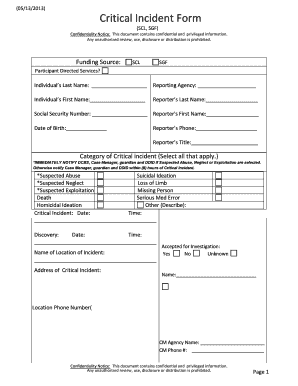
Get Critical Incident Form - Nasddds
How it works
-

Open form follow the instructions
-

Easily sign the form with your finger
-

Send filled & signed form or save
How to fill out the Critical Incident Form - Nasddds online
Filling out the Critical Incident Form - Nasddds online is a vital process for reporting critical incidents and ensuring the proper management of sensitive situations. This guide will provide clear and detailed instructions for users, enabling them to complete the form accurately and efficiently.
Follow the steps to successfully complete the form.
- Use the 'Get Form' button to access the Critical Incident Form and open it in your preferred editor.
- Begin by entering the funding source at the top of the form. This is an important identifier for processing the form.
- Complete the participant's details, including their last name and first name. Ensure accuracy in spelling to avoid any confusion.
- Fill in the reporter's details, including their last name, first name, phone number, and title. This information will help to follow up on the incident if needed.
- Select the relevant categories of the critical incident from the provided options. Choose all that apply, as this helps prioritize notifications to appropriate authorities.
- Provide the date and time of the critical incident discovery, ensuring to capture these details accurately.
- Document any necessary notifications made to the Department for Community Based Services (DCBS) and any hotline IDs associated with the case.
- In the incident description section, provide a detailed narrative of what happened, including the names of any involved staff.
- State the current status of the individual affected by the incident by selecting one of the options provided, and briefly describe their condition.
- Indicate the reasons behind the critical incident by choosing one of the categories and providing a description if necessary.
- Assess if the incident could have been prevented and elaborate on any identified training needs for staff that could help in future prevention.
- Identify needed changes to prevent similar incidents by selecting from the provided options and including your thoughts on other potential improvements.
- Once all fields are completed, you can save changes to your document, download a copy for your records, print for distribution, or share electronically as required.
Ensure the accurate and timely completion of your forms online to promote effective incident management and reporting.
Describe the context of the incident. Describe the actual incident in detail. Explain why the incident was critical or significant for you. Explain your concerns at the time. Describe what you were thinking and feeling as it was taking place, and afterwards.