Loading
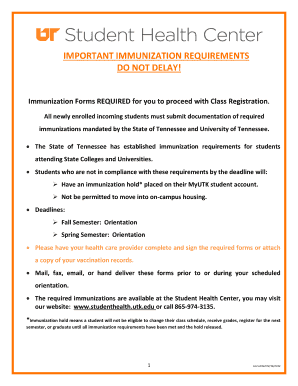
Get Download Immunization Packet - Student Health Center - Studenthealth Utk
How it works
-

Open form follow the instructions
-

Easily sign the form with your finger
-

Send filled & signed form or save
How to fill out the Download Immunization Packet - Student Health Center - Studenthealth Utk online
Filling out the Download Immunization Packet is a critical step in ensuring compliance with immunization requirements for students at the University of Tennessee. This guide provides clear, step-by-step instructions to assist users in completing the form accurately and efficiently.
Follow the steps to fill out the immunization packet successfully.
- Press the ‘Get Form’ button to obtain the immunization packet and open it in the editor.
- Begin by completing Section A of the form. Provide your student ID number, UTK email, last name, first name, middle initial, date of birth, and address, including street number, apartment number (if applicable), city, state or country, and zip code. Additionally, indicate your semester of first enrollment and whether you plan to live in on-campus housing.
- Proceed to Section B, which is to be completed by your health care provider. This section requires documentation of your immunizations. Ensure your provider enters all required dates following the MM/DD/YY format or attaches a copy of your vaccination records.
- For each required immunization (Measles, Mumps, Rubella, Varicella, Hepatitis B, and Meningitis), fill in the dosage dates and serological results, as applicable. Your health care provider must sign and date this section.
- Complete the Tuberculosis (TB) Screening Questionnaire accurately by answering 'yes' or 'no' to each question. If any question is answered 'yes,' ensure to have the Tuberculosis Risk Assessment Form filled out by your health care provider.
- If applicable, fill out the Immunization Exemption Form, choosing either medical or religious exemption and providing the necessary details. Both student and parent/guardian signatures are required if the student is under 18.
- Once all sections are completed, review your information for accuracy. Save any changes made.
- Submit your completed forms by mailing, faxing, or emailing them to the Student Health Center, or delivering them in person before or during your orientation.
Complete your immunization packet online to ensure your registration proceeds smoothly!
The university strongly recommends that all students be fully vaccinated against COVID-19.
Industry-leading security and compliance
US Legal Forms protects your data by complying with industry-specific security standards.
-
In businnes since 199725+ years providing professional legal documents.
-
Accredited businessGuarantees that a business meets BBB accreditation standards in the US and Canada.
-
Secured by BraintreeValidated Level 1 PCI DSS compliant payment gateway that accepts most major credit and debit card brands from across the globe.