Loading
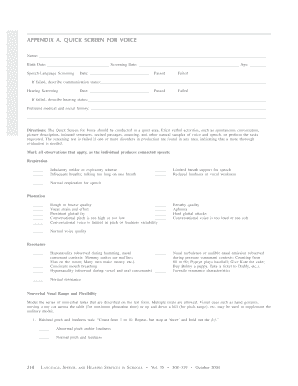
Get Appendix A Quick Screen For Voice - Specialed Spps
How it works
-

Open form follow the instructions
-

Easily sign the form with your finger
-

Send filled & signed form or save
How to use or fill out the APPENDIX A QUICK SCREEN FOR VOICE - Specialed Spps online
Filling out the Appendix A Quick Screen for Voice is essential for conducting an effective voice assessment. This guide provides a clear and supportive walkthrough to help you complete the form accurately and efficiently online.
Follow the steps to fill out the form successfully.
- Press the ‘Get Form’ button to access the form and open it in the editor.
- Begin by entering the user’s name in the designated field. Make sure to double-check the spelling for accuracy.
- Next, input the user's birth date and the screening date in the appropriate sections.
- Record the user's age in the provided field to keep all data organized.
- Proceed to the speech-language screening section, noting the date the screening took place. Mark whether the screening was passed or failed.
- If the screening was failed, provide a detailed description of the communication status in the space provided.
- Move to the hearing screening section and enter the date. Indicate if the hearing screening passed or failed.
- If the hearing screening failed, describe the hearing status clearly in the allocated area.
- Fill in the pertinent medical and social history, ensuring all relevant information is included for thoroughness.
- When all sections are completed, review the information for accuracy and clarity.
- Finally, save changes, and use the options available to download, print, or share the completed form.
Complete your documents online today for a smoother submission process!