Loading
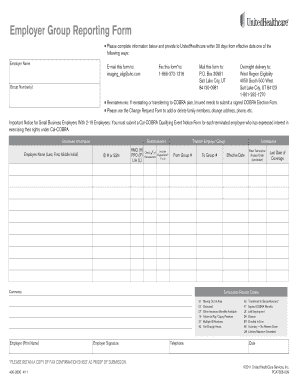
Get Employer Group Reporting Form - Rogers Benefit Group
How it works
-

Open form follow the instructions
-

Easily sign the form with your finger
-

Send filled & signed form or save
How to fill out the Employer Group Reporting Form - Rogers Benefit Group online
This guide provides step-by-step instructions for effectively completing the Employer Group Reporting Form - Rogers Benefit Group online. Follow these detailed instructions to ensure accurate and timely submission of the required information.
Follow the steps to complete the form successfully.
- Click ‘Get Form’ button to access the form and open it in your preferred editor.
- Fill in the employer name and group number(s) in the designated fields. Ensure that all information is accurate and up-to-date.
- Provide detailed employee information by entering the employee's name, reinstatement ID number or Social Security number, and their coverage type (HMO, PPO, Life).
- Indicate if dependents are included by checking the appropriate box. Specify if the reinstatement is applicable (Yes or No).
- For terminations, input the effective date of termination along with the termination reason code from the provided list. Be sure to double-check the codes for accuracy.
- Include any necessary comments regarding the transfer or termination, if applicable. Provide the new group number for transfers.
- Have the employer sign and print their name, enter their telephone number, and date the form. Ensure all information is readable.
- Review the completed form for accuracy. Save your changes and choose to download, print, or share the form as needed.
Complete your Employer Group Reporting Form online today to ensure timely processing and compliance.