Loading
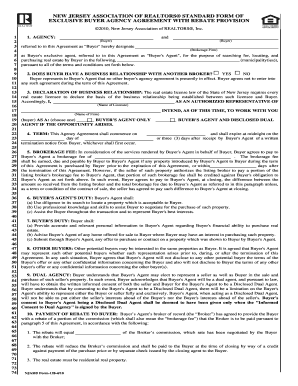
Get Buyer Rebate Form
How it works
-

Open form follow the instructions
-

Easily sign the form with your finger
-

Send filled & signed form or save
How to fill out the Buyer Rebate Form online
Filling out the Buyer Rebate Form online can streamline your home buying process and ensure that you receive any applicable rebates on your transaction. This guide provides clear, step-by-step instructions to help you navigate the form efficiently.
Follow the steps to complete the Buyer Rebate Form online.
- Click ‘Get Form’ button to access the Buyer Rebate Form and open it in your online editor.
- Designate the Buyer and the Brokerage Firm. Provide the names of the individuals involved in the transaction. Ensure that the information is accurate to avoid delays.
- Indicate whether the Buyer has a business relationship with another broker. Select 'Yes' or 'No' depending on the situation. This affects the agreement terms.
- Provide the name of the licensee and the brokerage firm. This information establishes the agent-buyer relationship.
- Fill in the term of the agreement by specifying the start and expiration dates. This duration defines the validity of the agreement.
- Enter the brokerage fee amount that the Buyer agrees to pay. Clarify the conditions for when this fee becomes payable.
- Review and confirm the duties of both the Buyer and the Buyer's Agent as outlined in the form, ensuring all responsibilities are understood.
- Acknowledge the clause related to other buyers and potential dual agency. Understanding these points is crucial for the Buyer's rights.
- Complete the payment of rebate section by specifying the amount that the Buyer will receive back from the Broker upon closing the transaction.
- Review the acknowledgment statements and enter the Buyer's Social Security Number, ensuring its confidentiality for tax reporting.
- Confirm receipt of the necessary informational documents. This is an essential acknowledgment of understanding the terms.
- Sign and date the agreement. Ensure that all parties involved, including the Buyer's Agent and Broker, sign as required for the document to be valid.
- Once all sections are filled out correctly, save the changes made to the form. You can choose to download, print, or share the completed form for your records.
Take action today to complete your Buyer Rebate Form online and ensure you receive all eligible benefits.
Real Estate commission rebates are not taxable income, but do reduce your home's basis. ... "The IRS has issued a private letter ruling that refunds of commissions by a real estate broker are not taxable income.