Loading
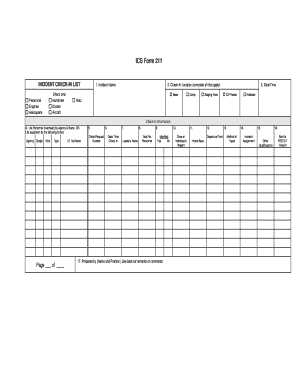
Get Ics Form 211 - Warren County - Warrencountyny
How it works
-

Open form follow the instructions
-

Easily sign the form with your finger
-

Send filled & signed form or save
How to fill out the ICS Form 211 - Warren County - Warrencountyny online
Filling out the ICS Form 211 is an essential step for ensuring proper incident management and coordination in Warren County. This guide will assist you in completing the form accurately and efficiently online.
Follow the steps to fill out the form effectively.
- Click ‘Get Form’ button to obtain the form and open it in the editor.
- Begin by entering the incident name in the designated field to identify the nature of the situation you are reporting.
- In the check-in location section, indicate all applicable locations such as Base, Camp, Staging Area, and any other relevant sites.
- Provide the date and time of the check-in to maintain accurate records for the incident timeline.
- List personnel or equipment in the designated fields. Use the format provided to ensure consistency, specifying the agency, type, and identification number or name.
- Input the order or request number in the specified field to track resources and requests efficiently.
- Fill in the date and time check-in to document when personnel or equipment arrived.
- Enter the name of the leader responsible for the team or equipment to ensure accountability.
- Provide the total number of personnel being checked in to maintain an accurate count.
- Indicate whether a manifest is available by selecting Yes or No.
- Complete the preparation section by entering the name and position of the individual preparing the form.
- Fill in the crew or individual's weight if applicable, ensuring compliance with safety regulations.
- Specify the departure point from home base to track movement.
- Document the method of travel used to reach the incident location for record-keeping.
- State the incident assignment overview to clarify the role or duty assigned.
- List any other qualifications relevant to the personnel or equipment involved.
- Once all fields are filled, save changes, download, print, or share the completed form as necessary.
Complete the ICS Form 211 online to ensure prompt and effective incident reporting.