Loading
Get Xr550 Programming
How it works
-

Open form follow the instructions
-

Easily sign the form with your finger
-

Send filled & signed form or save
How to fill out the Xr550 Programming online
Filling out the Xr550 Programming form online can be a straightforward task with the right guidance. This comprehensive guide will provide you with step-by-step instructions to help you complete each section of the form accurately and efficiently.
Follow the steps to complete your Xr550 Programming form.
- Click the ‘Get Form’ button to obtain the Xr550 Programming form and open it in the online editor.
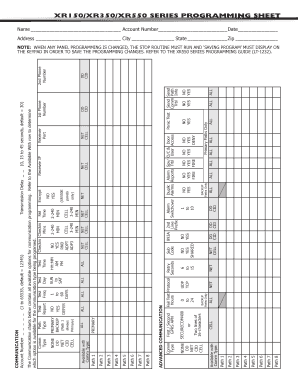
- Fill in the device name and serial number in the designated fields. This information is crucial for identifying your equipment.
- Enter your account number, which ranges from 1 to 65535, with the default set to 12345. Ensure this number is accurate to prevent any issues with system identification.
- Complete the communication type selection, choosing among the available options such as NET, DD, or CID. Refer to the chart provided for guidance on which options are available for each communication type.
- Set the primary and backup paths, making selections based on your system's configuration and requirements. This includes defining time delays and specifying the communication methods.
- Input the phone numbers and messaging setup as needed. Fields for the first and second phone numbers, as well as messaging preferences, should be populated according to your communication protocol.
- Review the advanced communication settings, taking note of options such as encryption and IP addresses. Fill in any required fields accurately based on your network setup.
- Once all fields are completed, ensure you save your changes. You may also download, print, or share the completed form as necessary, ensuring a final review before taking further action.
Complete your Xr550 Programming form online today to ensure your system is set up correctly.
WHAT IS THE DEFAULT USER CODE? On all control panels manufactured by DMP prior to 2020 the default user code is 99. We STRONGLY encourage all DMP dealers to change this user code once the installation is finished. As of 2020 the default user code is generated at DMP and is printed on the box.