Loading
Get 47742449
How it works
-

Open form follow the instructions
-

Easily sign the form with your finger
-

Send filled & signed form or save
How to use or fill out the 47742449 online
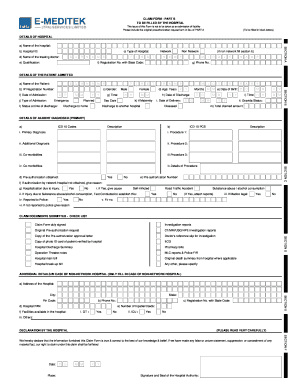
Filling out the 47742449 form online is an essential process for hospitals to report patient admissions and claims accurately. This guide will provide a clear and detailed walkthrough of each section of the form to assist users in completing it correctly.
Follow the steps to fill out the 47742449 form online:
- Click the ‘Get Form’ button to acquire the form and display it in your editor.
- In the section ‘Details of Hospital’, fill in the hospital ID, type of hospital, name of the treating doctor, and their qualifications in block letters.
- Provide the registration number of the treating doctor along with the state code and include the phone number.
- For ‘Details of the Patient Admitted’, enter the patient's name, IP registration number, gender, age, date of birth, date, and time of admission and discharge.
- Indicate the type of admission (emergency, planned, day care) and status at the time of discharge.
- In ‘Details of Ailment Diagnosed’, input the ICD 10 codes for primary and additional diagnoses, along with details of procedures performed.
- Tick the box for whether pre-authorization was obtained and fill in the pre-authorization number along with any reasons for not obtaining it.
- Complete the checklist of claim documents submitted, ensuring all required documents are included.
- If the hospital is a non-network hospital, provide the additional details required such as address, phone number, PAN, and facilities.
- Finally, read the declaration carefully, fill in the date and place, and ensure the form is signed and sealed by the hospital authority.
Complete your documents online and ensure accuracy in your submissions.
Industry-leading security and compliance
US Legal Forms protects your data by complying with industry-specific security standards.
-
In businnes since 199725+ years providing professional legal documents.
-
Accredited businessGuarantees that a business meets BBB accreditation standards in the US and Canada.
-
Secured by BraintreeValidated Level 1 PCI DSS compliant payment gateway that accepts most major credit and debit card brands from across the globe.