Loading
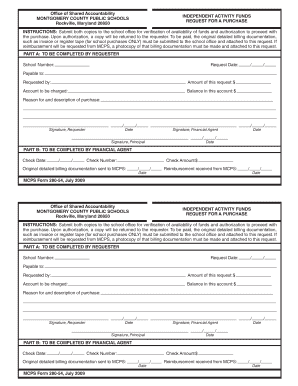
Get Mcps Form 280 54
How it works
-

Open form follow the instructions
-

Easily sign the form with your finger
-

Send filled & signed form or save
How to fill out the Mcps Form 280 54 online
Filling out the Mcps Form 280 54 online can streamline the process for requests regarding independent activity funds. This guide provides clear, step-by-step instructions to assist users in completing the form efficiently.
Follow the steps to complete your request for a purchase
- Press the ‘Get Form’ button to access the Mcps Form 280 54 and open it in your preferred online editor.
- In Part A, start by entering the request date. Ensure you use the correct format for clarity.
- In Part B, the financial agent should enter the check date and check number to track the payment.
- Once all fields are filled out correctly, save your changes. You can then download, print, or share the completed form as necessary.
Complete your documents online today to ensure a smooth and efficient process.