Loading
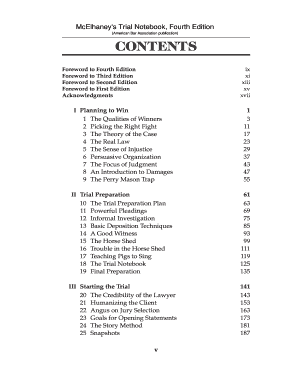
Get Table Of Contents Bookstore
How it works
-

Open form follow the instructions
-

Easily sign the form with your finger
-

Send filled & signed form or save
How to fill out the Table Of Contents Bookstore online
Filling out the Table Of Contents Bookstore is an essential task for organizing your document correctly. This guide provides detailed instructions on how to complete each section of the form to ensure you meet all necessary requirements.
Follow the steps to successfully complete your Table Of Contents Bookstore form.
- Click ‘Get Form’ button to access the form and open it in the editor.
- Begin by providing your document title at the top of the form. Make sure to use the exact title as it appears in your document.
- Next, list each section and subsection included in your document. Be sure to include all relevant headings and subheadings, using a clear hierarchical format.
- Assign corresponding page numbers for each section listed. Verify that the numbers accurately reflect where each section begins in the document.
- Include any acknowledgments or front matter, such as forewords or prefaces, if applicable. These should also be clearly numbered and formatted as per the guidelines.
- Review the entire Table Of Contents for clarity and accuracy, ensuring that all entries align correctly with the content of your document.
- Once you have completed the form, you have the option to save your changes, download a copy, print it, or share it as necessary.
Complete your Table Of Contents effortlessly online today!
Authors can become affiliates and earn 10% of every purchase made from their Bookshop sales--and a matching 10% will go to support independent bookstores. On your profile page you can fill out your name, custom URL, bio, and social media links. You can also add a profile photo and banner image.
Industry-leading security and compliance
US Legal Forms protects your data by complying with industry-specific security standards.
-
In businnes since 199725+ years providing professional legal documents.
-
Accredited businessGuarantees that a business meets BBB accreditation standards in the US and Canada.
-
Secured by BraintreeValidated Level 1 PCI DSS compliant payment gateway that accepts most major credit and debit card brands from across the globe.