Loading
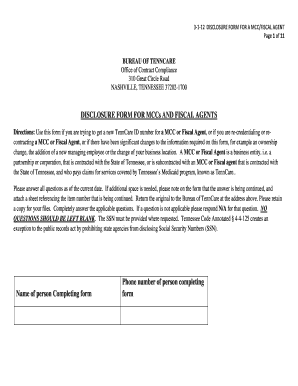
Get Disclosure Form For Mccs And Fiscal Agents ... - Tn.gov - Tn
How it works
-

Open form follow the instructions
-

Easily sign the form with your finger
-

Send filled & signed form or save
How to fill out the disclosure form for MCCs and fiscal agents online
This guide provides a step-by-step approach to accurately filling out the disclosure form for managed care organizations (MCCs) and fiscal agents. Whether you are seeking a new TennCare ID number or updating existing information, complete each section thoroughly to ensure compliance with state requirements.
Follow the steps to effectively complete the form.
- Click the ‘Get Form’ button to access the disclosure form. This will allow you to open and start editing the document.
- Begin by filling out the identifying information section. Include the MCC/fiscal agent's name, address, federal tax ID number, and phone number. Ensure all details are current and correct.
- Next, complete the owner or control information section. Identify individuals or entities that own 5% or more of the MCC/fiscal agent. Provide details about ownership type and percentage.
- List out the managing employees and agents, providing names, addresses, titles, and any relevant social security numbers or tax IDs. Ensure that all individuals listed are active and related information is accurate.
- Answer the specific questions regarding ownership relationships, interests in other providers, any criminal convictions, and history of debarment. Provide thorough and precise responses to avoid gaps in information.
- Continue to the business transactions section. Here, you will detail any subcontractors with significant contracts and input information on suppliers if applicable, ensuring transparency in your business relationships.
- Complete the conflict of interest section. Disclose any connections with state government officials that relate to the MCC/fiscal agent. This includes roles and relationships that could pose a conflict.
- Finally, review your entries for accuracy. Sign and date the form in the designated area to confirm that the information provided is complete and truthful.
- After filling out the form, you can save your changes, download a copy, print it, or share it as needed. Ensure that you retain a copy for your records.
Complete your documentation online to maintain compliance and streamline your processes.
The probate court cannot close your estate until your lawyer or executor of your estate gets a Release from TennCare. A Release says your estate does not owe TennCare any money. To find out if the estate owes money to TennCare, you must complete and submit a Request for Release Form.
Industry-leading security and compliance
US Legal Forms protects your data by complying with industry-specific security standards.
-
In businnes since 199725+ years providing professional legal documents.
-
Accredited businessGuarantees that a business meets BBB accreditation standards in the US and Canada.
-
Secured by BraintreeValidated Level 1 PCI DSS compliant payment gateway that accepts most major credit and debit card brands from across the globe.