Loading
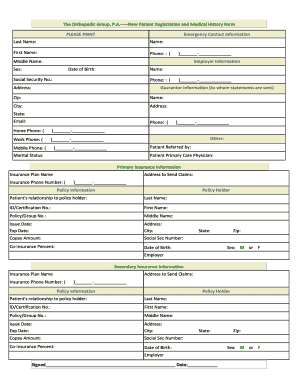
Get New Patient Registration And Medical Form - The Orthopedic Group ...
How it works
-

Open form follow the instructions
-

Easily sign the form with your finger
-

Send filled & signed form or save
How to fill out the New Patient Registration and Medical Form - The Orthopedic Group online
Completing the New Patient Registration and Medical Form is an important step in your journey to better health care. This guide provides clear, step-by-step instructions to help you complete the form online with ease and confidence.
Follow the steps to successfully complete the form online.
- Click the ‘Get Form’ button to obtain the form and open it in your preferred digital format.
- Begin by entering your patient name in the designated fields, ensuring you include your last name followed by your first name.
- Provide the date of filling out the form along with your age in the respective fields.
- In the 'Present Problem' section, detail the reason for your visit, specifying which body part is affected and when the issue first arose.
- Indicate the cause of your problem by selecting the appropriate option from the list provided, if applicable. If relevant, give additional details in the space available.
- Respond to the questions about whether this is your first occurrence of the problem and if you have been treated for it before. Provide a brief summary of any previous treatments, tests, or surgeries you've undergone related to this issue.
- List any physicians who have treated you for the same problem in the designated area.
- Indicate your dominant hand by choosing from right, left, or ambidextrous.
- In the 'Past Orthopedic History' section, check any orthopedic issues you have experienced in the past. Include any additional details if necessary.
- In the 'Past Medical History' section, indicate any medical conditions you have or have had previously by checking the appropriate box or specifying if needed.
- For the 'Past Surgical History', list any surgeries you have had in the past, including approximate dates where applicable.
- Complete the 'Family History' section by indicating any significant health issues among your immediate family members.
- Document any allergies you have to medications by selecting the appropriate option.
- List all current medications you are taking, including over-the-counter medicines, or indicate if you are not on any medication.
- Provide information about your social history, including your occupation and any habits related to tobacco or alcohol use.
- Answer the review of systems questions by checking any relevant areas where you might have current problems and providing details as necessary.
- In the 'Authorization and Privacy Policy' section, read the statement carefully before signing and dating the form. Ensure your printed name is also included.
- Once all sections are completed, review your form for accuracy. Finally, save changes, download a copy for your records, or print the form to submit.
Complete your New Patient Registration and Medical Form online today!
Industry-leading security and compliance
US Legal Forms protects your data by complying with industry-specific security standards.
-
In businnes since 199725+ years providing professional legal documents.
-
Accredited businessGuarantees that a business meets BBB accreditation standards in the US and Canada.
-
Secured by BraintreeValidated Level 1 PCI DSS compliant payment gateway that accepts most major credit and debit card brands from across the globe.