Loading
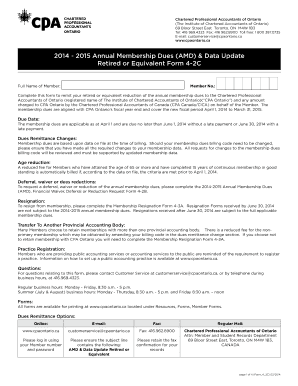
Get 2014 - 2015 Annual Membership Dues (amd) & Data Update Retired Or Equivalent Form 4-2c. 2014
How it works
-

Open form follow the instructions
-

Easily sign the form with your finger
-

Send filled & signed form or save
How to fill out the 2014 - 2015 Annual Membership Dues (AMD) & Data Update Retired or Equivalent Form 4-2C online
This guide provides clear and detailed instructions for filling out the 2014 - 2015 Annual Membership Dues (AMD) & Data Update Retired or Equivalent Form 4-2C. By following these steps, users can successfully complete the form online while ensuring compliance with the relevant requirements.
Follow the steps to accurately complete the membership dues form.
- Click the ‘Get Form’ button to access the form and open it in your chosen editor.
- Enter your member number in the designated field at the top of the form to identify your membership status.
- Complete the 'Full Name of Member' section with your legal name as it appears in your CPA records.
- Fill in your preferred mailing address in the section labeled 'Preferred Mailing Address' to ensure you receive important communications.
- If applicable, provide an alternate address for either residential or employment in the designated section.
- In 'Additional Contact Information,' fill in your position title and contact numbers, including mobile and email addresses to facilitate communication.
- Indicate your preference for receiving communications regarding member benefits and professional development by selecting ‘Yes’ or ‘No’ for each option.
- Complete either Section 1 or Section 2 based on your primary employment. Choose the relevant role from the available options in public accounting or business/industry.
- Provide additional demographic data in the employment section as required by the form.
- Review the 'Membership Dues Payment' section. Confirm the dues code billed and remit amount, ensuring they reflect current data.
- In the 'Dues Remittance' section, indicate your payment amount and select your payment method, including options like credit card or cheque.
- Review your completed form for accuracy. Once confirmed, you can either save changes, download, print, or share the form as needed.
Complete your membership dues form online today to ensure you remain in good standing.
There are two types of fee schedules - insurance fee schedules and patient fee schedules. Insurance fee schedules are used when a practice is contracted with an insurance company, often referred to as in network, contracted, or PPO.
Industry-leading security and compliance
US Legal Forms protects your data by complying with industry-specific security standards.
-
In businnes since 199725+ years providing professional legal documents.
-
Accredited businessGuarantees that a business meets BBB accreditation standards in the US and Canada.
-
Secured by BraintreeValidated Level 1 PCI DSS compliant payment gateway that accepts most major credit and debit card brands from across the globe.