Loading
Get Stocking Fastener Order Form
How it works
-

Open form follow the instructions
-

Easily sign the form with your finger
-

Send filled & signed form or save
How to fill out the STOCKING FASTENER ORDER FORM online
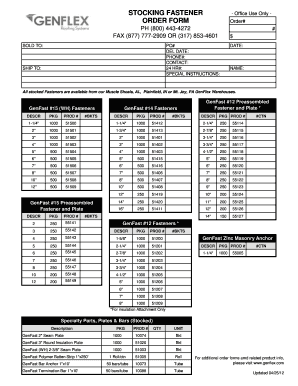
The STOCKING FASTENER ORDER FORM is designed to facilitate the ordering process for stocked fasteners. This guide provides clear, step-by-step instructions on how to accurately complete the form online.
Follow the steps to successfully complete the order form.
- Click the ‘Get Form’ button to access the order form and open it in the online editor.
- In the 'Sold To' section, enter the required information including name, purchase order number (PO#), delivery date, phone number, and contact person.
- Under the 'Ship To' section, provide the relevant shipping details such as name and date.
- Review the available stocked fasteners listed on the form. For each fastener you wish to order, specify the quantity needed in the designated column.
- If there are any special instructions regarding your order, please enter them in the 'Special Instructions' section.
- Double-check all the information entered to ensure accuracy.
- Once all fields are completed, you can save changes, download, print, or share the completed form as needed.
Complete your STOCKING FASTENER ORDER FORM online today to streamline your ordering process.