Loading
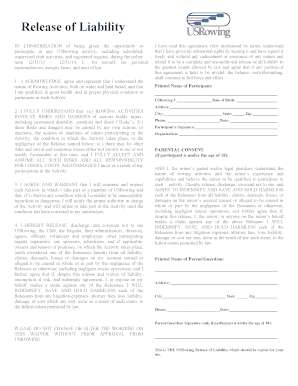
Get 2014 Usrowing Waiver - Rccdn Cachefly
How it works
-

Open form follow the instructions
-

Easily sign the form with your finger
-

Send filled & signed form or save
How to fill out the 2014 USRowing Waiver - Rccdn Cachefly online
This guide provides clear, step-by-step instructions on how to properly complete the 2014 USRowing Waiver. By following these guidelines, users will ensure that all required information is accurately submitted.
Follow the steps to complete the waiver online with ease.
- Click the ‘Get Form’ button to access the waiver and open it in your preferred online document viewer.
- In the first section, fill in your printed name as the participant. Below that, enter your USRowing number and date of birth.
- Provide your residential address including street, city, state, and zip code to ensure proper identification.
- Input your contact phone number for any necessary communication regarding the waiver.
- Review the acknowledgement statements about the understanding of risks involved in rowing activities. Make sure you agree before proceeding.
- Sign and date the waiver in the designated areas to confirm your consent. If you are filling the form on behalf of a minor, the parent or legal guardian must also complete their information and provide a signature.
- Upon completing the form, you can save your changes, download a copy, print it for physical records, or share it as required.
Complete your waiver online today to participate in USRowing activities confidently.