Loading
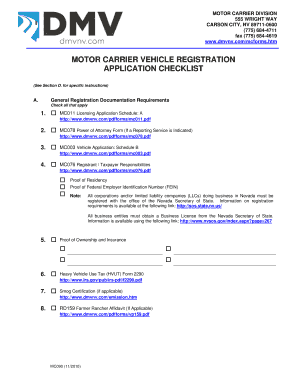
Get Com/mcforms - Dmv Nv
How it works
-

Open form follow the instructions
-

Easily sign the form with your finger
-

Send filled & signed form or save
How to fill out the Com/mcforms - Dmv Nv online
This guide will assist you in accurately completing the Com/mcforms - Dmv Nv online. Following these detailed steps will ensure that you submit your registration application correctly and efficiently.
Follow the steps to successfully complete your application.
- Click ‘Get Form’ button to access the Com/mcforms - Dmv Nv and open it in your preferred editor.
- Begin by gathering all necessary documentation as outlined in the application checklist. Make sure to check all applicable boxes including proof of residency, ownership, and relevant tax forms.
- Carefully fill out each section of the form, providing accurate information in the appropriate fields. Pay special attention to the 'Physical and Mailing Address' section to ensure your information is correctly entered.
- If you are applying for IRP registration, include all required additional documentation listed in Section B of the checklist. This may involve submitting additional forms for mileage and weight applications.
- Double-check all entered information for accuracy. Ensure that all checks on the checklist are completed and documentation is attached as necessary.
- Once you have filled out the form completely, you can then save your changes, download a copy, print it for your records, or share it if required.
Complete your Com/mcforms - Dmv Nv registration application online today!
New residents must obtain their driver license and vehicle registration within 30 days. See our New Resident Guide. In most vehicle sales, the deadline to register the vehicle is 30 days from the date of the sale.