Loading
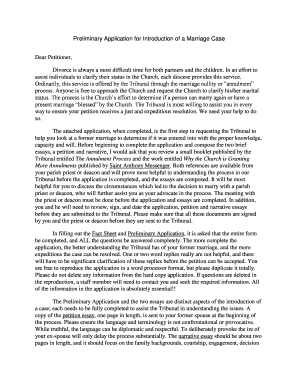
Get Preliminary Application For Introduction Of A Marriage - Arlingtondiocese
How it works
-

Open form follow the instructions
-

Easily sign the form with your finger
-

Send filled & signed form or save
How to fill out the Preliminary Application For Introduction Of A Marriage - Arlingtondiocese online
Filling out the Preliminary Application For Introduction Of A Marriage is a crucial first step for individuals seeking clarity on their marital status through the Church. This guide provides a comprehensive overview of the form's components, ensuring a smooth experience for all users, regardless of their legal background.
Follow the steps to successfully complete your application.
- Press the ‘Get Form’ button to access the Preliminary Application For Introduction Of A Marriage and open it for editing.
- Begin with the information about the petitioner section. Fill in your personal details, including your full name, contact information, and date of birth. Ensure all fields are completed accurately.
- Next, move to the section regarding your former marriage(s). List all previous marriages in chronological order, providing the necessary details for each, including the person’s name and marriage date.
- Proceed to the respondent's information. This section requires the details of your former spouse. Make sure to include their full name, contact information, and any relevant marital history.
- Fill out the courtship and engagement details. Reflect on your relationship journey, including how and when you met, any significant events leading up to the marriage, and the duration of your dating before engagement.
- In the marriage section, indicate both parties' ages at the time of the wedding, the duration of cohabitation post-wedding, and whether the marriage was convalidated in a Catholic ceremony.
- Address the prenup section if applicable, detailing any agreements made before marriage.
- Finally, review all sections for completeness and accuracy. Ensure that each part of the application is filled out thoroughly, avoiding one or two-word responses.
- After completing the application, have a meeting with your parish priest or deacon to review the document together. Both of you will need to sign and date the application before submission.
- Once signed, you can download, print, or share the completed form as required for submission to the Tribunal.
Begin your journey by completing the application online today.
Strictly speaking, the imprimatur is nothing more than the permission. But because its concession must be preceded by the favourable judgment of a censor (nihil obstat: “nothing hinders [it from being printed]”), the term has come to imply ecclesiastical approval of the publication itself.
Industry-leading security and compliance
US Legal Forms protects your data by complying with industry-specific security standards.
-
In businnes since 199725+ years providing professional legal documents.
-
Accredited businessGuarantees that a business meets BBB accreditation standards in the US and Canada.
-
Secured by BraintreeValidated Level 1 PCI DSS compliant payment gateway that accepts most major credit and debit card brands from across the globe.