Loading
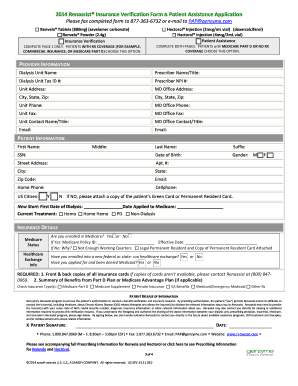
Get Renassist
How it works
-

Open form follow the instructions
-

Easily sign the form with your finger
-

Send filled & signed form or save
How to fill out the Renassist online
The Renassist online form is a vital tool for individuals seeking insurance verification and assistance with and . This guide will provide clear, step-by-step instructions to help users complete the form efficiently.
Follow the steps to fill out the Renassist form accurately.
- Press the ‘Get Form’ button to acquire the document and view it in the editor.
- Begin by filling out the 'Provider Information' section. Include the dialysis unit name, prescriber details, contact information, and addresses as requested.
- Navigate to the 'Patient Information' area. Provide required details such as the patient's first and last name, date of birth, address, contact numbers, and insurance status.
- In the 'Insurance Details' section, answer whether the patient is enrolled in Medicare and provide relevant information if applicable, including insurance types.
- Proceed to the 'Patient Release of Information'. Ensure that the patient understands and signs to authorize sharing of their details with relevant parties for processing.
- Complete the 'Financial Information' section by indicating household size, combined assets, and income details. Provide any necessary supporting documents.
- Fill out the 'Prescription for Requested Products' section, where a licensed prescriber must select the required products and sign to confirm the prescription.
- Finally, review all sections for accuracy, save your changes, and follow the submission instructions to fax or email the completed form to Renassist.
Complete your documents online today to ensure your application is processed without delays.
is a prescription medication used for regulating serum phosphorus in patients with chronic kidney disease. is available under the following different brand names: , .