Loading
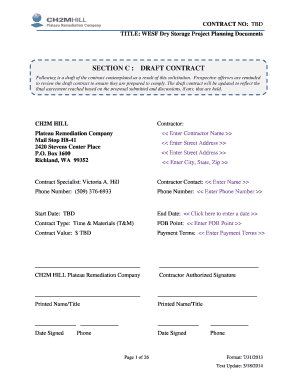
Get Rfp 266448 Draft Contract
How it works
-

Open form follow the instructions
-

Easily sign the form with your finger
-

Send filled & signed form or save
How to fill out the RFP 266448 DRAFT CONTRACT online
This guide provides comprehensive instructions for completing the RFP 266448 DRAFT CONTRACT online. Whether you are a seasoned professional or new to contract forms, this user-friendly guide will help you navigate each section with clarity and confidence.
Follow the steps to complete the RFP 266448 DRAFT CONTRACT online.
- Click ‘Get Form’ button to obtain the form and open it in the editor.
- Enter the contractor's name in the designated field labeled '<< Enter Contractor Name >>'. Ensure this information is accurate as it identifies the organization responsible for the contract.
- Complete the address section by entering the appropriate street address, city, state, and zip code under '<< Enter Street Address >>' and '<< Enter City, State, Zip >>'. This information is essential for correspondence.
- Fill in the contractor contact information where it states '<< Enter Name >>' and '<< Enter Phone Number >>' to designate the individual responsible for communication regarding this contract.
- Indicate the contract start and end dates in the respective fields. Make sure to clarify any 'TBD' placeholders by consulting the relevant parties to confirm dates.
- Fill in the contract type by selecting 'Time & Materials (T&M)', ensuring that the chosen contract type reflects the nature of the work and payment structure.
- Complete the fields for FOB Point and Contract Value, replacing '<< Enter FOB Point >>' and '$ TBD' with the accurate details as this affects shipping terms and financial agreement.
- Review the payment terms section and enter any specific terms related to payments indicated by '<< Enter Payment Terms >>'. This might include billing cycles or conditions for payment.
- Seek clarification as needed; review each section of the draft contract carefully to ensure compliance with all requirements before submitting.
- Once all sections are complete, save your changes. You can opt to download, print, or share the completed document as necessary for your records.
Complete your RFP documents online today to streamline the contract process.
Establish the project's boundaries. ... Identify key stakeholders and advisors. ... Talk to stakeholders and define your project needs. Write the RFP. ( ... Create a draft of your scoring criteria. ... Circulate the RFP. ... Review responses. ... Research novel technologies as necessary.
Industry-leading security and compliance
US Legal Forms protects your data by complying with industry-specific security standards.
-
In businnes since 199725+ years providing professional legal documents.
-
Accredited businessGuarantees that a business meets BBB accreditation standards in the US and Canada.
-
Secured by BraintreeValidated Level 1 PCI DSS compliant payment gateway that accepts most major credit and debit card brands from across the globe.