Loading
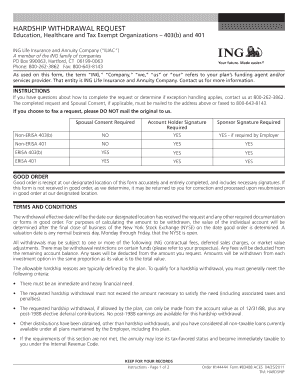
Get Hardship Withdrawal Request - Mcps Yourplan.info
How it works
-

Open form follow the instructions
-

Easily sign the form with your finger
-

Send filled & signed form or save
How to fill out the HARDSHIP WITHDRAWAL REQUEST - MCPS YourPlan.info online
Completing the Hardship Withdrawal Request form can be a vital step in addressing immediate financial needs. This guide will assist you in navigating the process online, ensuring you successfully fill out each section with the necessary information.
Follow the steps to complete the Hardship Withdrawal Request form efficiently.
- Click the ‘Get Form’ button to access the Hardship Withdrawal Request, opening it in the online editor.
- Begin with Section 1, 'Plan Information.' Here, input your Plan Name and Billing Group/Plan Number accurately.
- Proceed to Section 2, 'Account Holder Information,' and enter your name, date of birth, social security number, and contact details including your address, work phone, home phone, and email.
- In Section 3, 'Tax Residency Information,' check the appropriate box that describes your tax status. Ensure clarity on whether you are a U.S. Citizen, U.S. Resident Alien, or Non-Resident Alien.
- For Section 4, 'Reason for Hardship,' select one or more applicable reasons from the list provided. Be prepared to offer supporting documentation if necessary.
- In Section 5, state the amount you wish to withdraw. You can specify a dollar amount or indicate that you would like the maximum amount available.
- Section 6 covers 'Tax Withholding.' Indicate your preferences for federal and state tax withholding, ensuring you understand the implications of your choices.
- In Section 7, provide any special instructions relevant to your request that may assist in processing your application.
- Fill out Section 8 with your payment and mailing information, deciding whether to send the payment to your account holder address or to your employer/plan sponsor.
- If you prefer, complete Section 9 for an Electronic Fund Transfer, which typically allows faster access to your funds.
- Sections 10 through 15 include certifications and signatures from both the account holder and any required third parties or administrators. Review these parts carefully before signing.
- Once all sections are complete, review your entries for accuracy. You can then save changes, download, print, or share the completed form as needed.
Take action today and complete your hardship withdrawal request online.
That said, an employer cannot rely on an employee's representation of their need if the employer knows for a fact that the employee has other resources at their disposal that can cover the need. In this case, the employer may deny the hardship withdrawal.
Industry-leading security and compliance
US Legal Forms protects your data by complying with industry-specific security standards.
-
In businnes since 199725+ years providing professional legal documents.
-
Accredited businessGuarantees that a business meets BBB accreditation standards in the US and Canada.
-
Secured by BraintreeValidated Level 1 PCI DSS compliant payment gateway that accepts most major credit and debit card brands from across the globe.