Loading
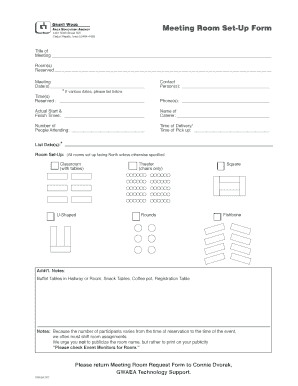
Get Meeting Room Set-up Form
How it works
-

Open form follow the instructions
-

Easily sign the form with your finger
-

Send filled & signed form or save
How to fill out the Meeting Room Set-Up Form online
Filling out the Meeting Room Set-Up Form online can help ensure that your meeting is organized and catered to your specific needs. This guide will provide you with clear, step-by-step instructions on how to complete each section of the form accurately.
Follow the steps to complete the Meeting Room Set-Up Form online.
- Click ‘Get Form’ button to obtain the form and open it in the editor.
- Begin by entering the title of the meeting in the designated space at the top of the form. Ensure that this title accurately reflects the purpose of your gathering.
- Next, specify the meeting room(s) you wish to reserve. If multiple rooms are needed, indicate them clearly.
- Fill in the meeting date(s) on the line provided. If your meeting spans multiple days, list all relevant dates.
- Identify the contact person(s) for the meeting. This should be someone who can be reached for any questions or changes.
- Indicate the time(s) reserved for your meeting. Be precise to avoid scheduling conflicts.
- Provide phone number(s) for the contact person(s). This will enable quick communication if necessary.
- Record the actual start and finish times for the meeting. This information is critical for room management.
- If catering is involved, enter the name of the caterer in the appropriate field.
- Specify the number of people attending the meeting. This helps in planning the set-up and resources needed.
- Detail the time of delivery and time of pick up for any catering arrangements or additional services.
- If your meeting has various dates, be sure to list them in the space provided.
- Choose the desired room set-up from the options available (Classroom, U-Shaped, Theater, Rounds, Square, Fishbone). Note that rooms are set up facing North unless otherwise specified.
- Use the ‘Addt’l. Notes’ section for any specific requests, such as placement of buffet tables, snack tables, coffee pots, or registration tables.
- Once all fields are completed, review your entries for accuracy. You can then choose to save your changes, download, print, or share the form as needed.
Start filling out the Meeting Room Set-Up Form online today to secure your meeting space!
Meeting Room Set-ups and Styles Auditorium Style. Appropriate for a short lecture or larger groups that do not require extensive note-taking. Banquet Style. Used for meals and small group discussions. ... Hollow Square Style. ... Classroom. ... U-Shape Style.