Loading
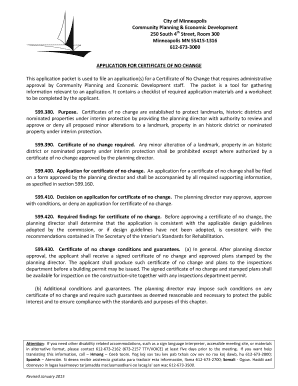
Get Application For Certificate Of No Change - City Of Minneapolis - Minneapolismn
How it works
-

Open form follow the instructions
-

Easily sign the form with your finger
-

Send filled & signed form or save
How to fill out the Application For Certificate Of No Change - City Of Minneapolis - Minneapolismn online
This guide provides a comprehensive overview of how to accurately fill out the Application For Certificate Of No Change for the City of Minneapolis. It addresses each section of the form and offers clear instructions to ensure that applicants can submit their requests effectively.
Follow the steps to complete the application with ease.
- Select the ‘Get Form’ button to access the application form and open it in your preferred online editor.
- Begin by filling out the 'Applicant's Information' section, which includes the applicant's name, mailing address, phone number, fax number, and email. Ensure all details are accurate to facilitate communication.
- Complete the 'Applicant’s Representative' section, if applicable. This should include the representative’s name, address, phone number, fax number, and email. This person will act as your primary contact.
- Provide the 'Property Information' which requires the address, identification number, and legal description of the property. Include details such as lot area and the zoning classification.
- In the 'Project Information' section, name the proposed project if applicable and describe the nature of the work you intend to perform, such as preservation or rehabilitation.
- Fill out the 'Building Data', specifying the gross floor area, the existing building footprint area, and the building height. Include the number of existing stories.
- If applicable, complete the 'Sign Data' section, detailing the existing and proposed signage, which includes dimensions, types, and whether the signs are freestanding or mounted.
- Provide information on any fencing in the 'Fence Data' section. This includes type, material, length, and height of existing or proposed fences.
- Complete the 'Accuracy Declaration' by signing and printing the applicant's name to confirm that all provided information is complete and accurate. This ensures a smooth review process.
- Once all sections are filled out, review your application for completeness. Save your work, and utilize options to download, print, or share the completed application.
Take the next step in your application process by completing the form online today.
Industry-leading security and compliance
US Legal Forms protects your data by complying with industry-specific security standards.
-
In businnes since 199725+ years providing professional legal documents.
-
Accredited businessGuarantees that a business meets BBB accreditation standards in the US and Canada.
-
Secured by BraintreeValidated Level 1 PCI DSS compliant payment gateway that accepts most major credit and debit card brands from across the globe.