Loading
Get Imm 1000 Pdf
How it works
-

Open form follow the instructions
-

Easily sign the form with your finger
-

Send filled & signed form or save
How to fill out the Imm 1000 Pdf online
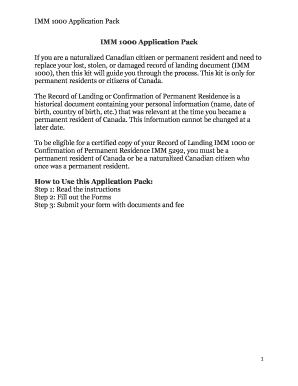
This guide provides a comprehensive overview for individuals looking to fill out the Imm 1000 Pdf online, specifically for naturalized Canadian citizens or permanent residents replacing their record of landing document. By following these steps carefully, you can navigate the process with ease.
Follow the steps to successfully complete the Imm 1000 Pdf online.
- Click the ‘Get Form’ button to obtain the Imm 1000 Pdf and open it in your online editor.
- Read through the instructions provided in the form carefully. Ensure you understand each section before proceeding to fill it out.
- Start with the Verification of Entry form. Complete Part A by providing your surname at the time of entry, FOSS ID (if known), current legal name, date of birth, date of entry for permanent residence, and the names of any accompanying family members.
- Fill out the Supplementary Form by specifying the type of request you are making. Choose from options such as a certified true copy, replacement of a document, or correction of a document. Complete additional relevant sections based on your choice.
- Gather and attach all required supporting documents as listed in the instructions, including identification and proof of entry into Canada.
- Review your form and ensure all fields are completed accurately to avoid any delays in processing.
- Once you are satisfied with your application, you can save changes, download the form, or print it for mailing.
- Mail the completed application package to your local Citizenship and Immigration Centre, ensuring that the correct fee payment form is included.
Start completing your Imm 1000 Pdf online to efficiently manage your application process.
You can replace your Record of Landing (IMM 1000) by submitting a completed Application for a Verification of Status (VOS) or Replacement of an Immigration Document (IMM 5009) to Immigration, Refugees and Citizenship Canada (IRCC), with the required supporting documentation.