Loading
Get 20121213 Napa Te Credit App.xlsx - R B5z
How it works
-

Open form follow the instructions
-

Easily sign the form with your finger
-

Send filled & signed form or save
How to fill out the 20121213 NAPA TE Credit App.xlsx - R B5z online
This guide provides a comprehensive overview for users on how to effectively complete the 20121213 NAPA TE Credit App.xlsx - R B5z online. With clear instructions for each section of the form, users will navigate the application process with ease.
Follow the steps to successfully complete the credit application form.
- Press the ‘Get Form’ button to access the credit application form and open it in your preferred editor.
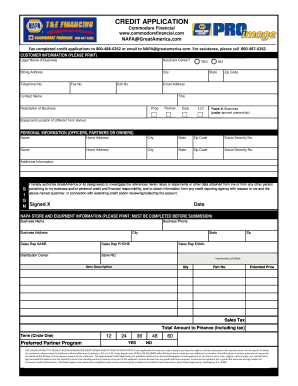
- Begin by filling out the customer information section. Enter the legal name of your business, whether it is an AutoCare Center, billing address, city, state, zip code, and contact information including telephone number, fax number, cell number, and email address.
- Provide details about the contact person in the contact name and title fields, along with a brief description of your business, specifying its structure (e.g., Corporation, LLC, etc.) and the number of years the business has been under its current ownership.
- If the equipment location is different from the billing address, enter that information in the designated field.
- In the personal information section, list the names, home addresses, cities, states, zip codes, and social security numbers of all officers, partners, or owners as required.
- Acknowledge the authorization statement, which grants GreatAmerica the right to investigate your business and personal credit. Ensure to sign and date this section to confirm your approval.
- Complete the NAPA store and equipment information section by filling in the business name, phone number, address, and sales representative details.
- Provide a detailed description of the items for financing, including quantity, part number, extended price, and applicable sales tax.
- Calculate the total amount to finance, which includes tax, and indicate the desired term by circling your selection between 12, 24, 36, 48, or 60 months.
- Review the form for accuracy and completeness before submission. Once satisfied, users can save their changes, download the completed form, print it, or share it as needed.
Take the next step towards securing your credit by completing the online application now.
You can use the package readxl and the function read_excel to read the files in. Then, you can merge them in R using functions in the tidyverse. ... Finally, save as an Excel file using write_xlsx in the writexl package.
Industry-leading security and compliance
US Legal Forms protects your data by complying with industry-specific security standards.
-
In businnes since 199725+ years providing professional legal documents.
-
Accredited businessGuarantees that a business meets BBB accreditation standards in the US and Canada.
-
Secured by BraintreeValidated Level 1 PCI DSS compliant payment gateway that accepts most major credit and debit card brands from across the globe.