Loading
Get Stavrosfi Org
How it works
-

Open form follow the instructions
-

Easily sign the form with your finger
-

Send filled & signed form or save
How to fill out the Stavrosfi Org online
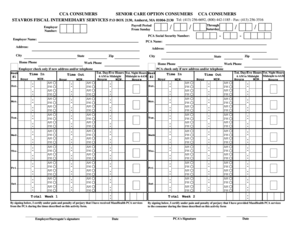
Filling out the Stavrosfi Org form is an essential step for documenting personal care assistance details. This guide presents a clear, step-by-step approach to ensure that users can complete the form accurately and efficiently.
Follow the steps to complete your Stavrosfi Org form online.
- Press the ‘Get Form’ button to acquire the Stavrosfi Org form and open it in your preferred editor.
- Begin by entering the payroll period details. Mark the start date, typically a Sunday, and the end date, usually a Saturday, in the designated fields.
- Fill in the employer number and employer name. Ensure that this information is accurate, as it links the form to the appropriate records.
- Provide the PCA (personal care assistant) social security number, along with the addresses, home phones, and work phones of both the employer and the PCA.
- Document the time worked by entering the hours and minutes for each day of the week in the time in and time out sections. Make sure to distinguish between AM and PM.
- Calculate and input the total hours worked for both week 1 and week 2 in the specified sections, ensuring all values are correct.
- At the conclusion of the form, both the employer or surrogate's and PCA's signatures are required for certification. Ensure all signatures are complete before submission.
- After reviewing the entire document for accuracy, users can save changes, download, print, or share the completed form as needed.
Complete your Stavrosfi Org form online to ensure seamless processing.
Stavros (Σταύρος [ˈstavros]) is a Greek name. It comes from σταυρóς, the Christian cross, but is distinguished from it by having the accent on the first syllable rather than the second. (cf. Christos, as given name and surname). The word root comes from the verb ἵστημι which means "I make something stand, I stop".