Loading
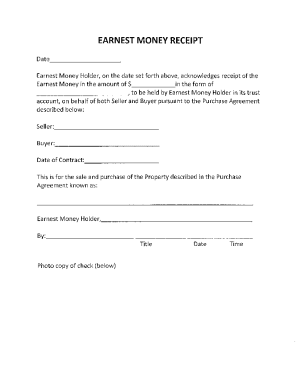
Get Confirmation Of Receipt
How it works
-

Open form follow the instructions
-

Easily sign the form with your finger
-

Send filled & signed form or save
How to fill out the Confirmation Of Receipt online
This guide provides clear instructions on how to efficiently complete the Confirmation Of Receipt online. By following these steps, users will ensure that all necessary information is accurately recorded in the form.
Follow the steps to successfully complete the form.
- Press the ‘Get Form’ button to access the Confirmation Of Receipt form and open it in your preferred online editor.
- Begin by filling in the Buyer’s name in the designated field. Provide the full name of the individual or entity making the purchase.
- Next, enter the Buyer’s Agent's name in the corresponding field. This should be the name of the agent representing the buyer.
- Fill in the Buyer’s Brokerage. This is the real estate brokerage associated with the buyer's agent.
- Input the Seller’s name in the appropriate section. This is the individual or entity selling the property.
- Enter the Seller’s Agent's name next. This is the agent representing the seller.
- Provide the name of the Seller’s Brokerage in the corresponding field.
- Fill in the Property details, including the address and any other relevant identifiers.
- Complete the City, County, and ZIP code fields for the property's location.
- In the Confirmation Of Receipt section, fill in the date when the Ernest Money was received and check the appropriate box to indicate the form of payment (wire transfer, personal check, cashier's check, or other).
- In the provided field, print the name of the individual confirming receipt and include their signature.
- Specify the position of the signatory in the firm and record the date and time of confirmation.
- After completing all the fields, save the changes made to the document, and then choose to download, print, or share the completed Confirmation Of Receipt.
Start filling out your Confirmation Of Receipt online today for a streamlined process.
You can follow these steps to write an email acknowledging receipt: Start with your salutation. The salutation is the first part of your email that communicates respect to the recipient. ... Acknowledge what you received. ... Include additional information. ... Write your closing remarks.