Loading
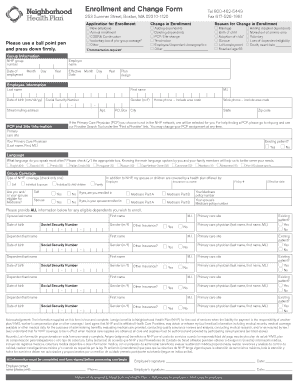
Get Enrollment And Change Form - Neighborhood Health Plan - Nhp
How it works
-

Open form follow the instructions
-

Easily sign the form with your finger
-

Send filled & signed form or save
How to fill out the Enrollment And Change Form - Neighborhood Health Plan - Nhp online
Completing the Enrollment And Change Form for the Neighborhood Health Plan can seem daunting, but this guide will simplify the process. Follow these structured steps to fill out the form online with confidence, ensuring that your enrollment or changes are submitted accurately.
Follow the steps to efficiently complete the Enrollment And Change Form.
- Click ‘Get Form’ button to obtain the form and open it in the document editor.
- Begin by selecting the appropriate checkbox under 'Application for Enrollment' to indicate your reason for completing the form, such as 'New employee' or 'COBRA Continuation'.
- If you are making a change, check the applicable box under 'Change in Enrollment' to reflect your specific circumstances.
- Document the reason for the change in enrollment by marking the relevant option under 'Reason for Change in Enrollment'. Select options like 'Marriage' or 'Birth of child'.
- Fill in the 'Group Information' section, including your NHP group number, date of employment, employer's name, and the effective date.
- In the 'Employee Information' section, enter your last name, first name, date of birth, Social Security Number, gender, home and work phone numbers, and your mailing address.
- Specify your Primary Care Physician (PCP) and primary care site, and indicate whether you are an existing patient.
- Fill in the 'Language' section by marking the language you speak most often to assist in better service.
- Complete the 'Group Coverage' section by indicating the type of NHP coverage and if any family members are enrolled in other health plans.
- Provide detailed information for any dependents you wish to enroll by filling in their names, dates of birth, Social Security Numbers, and related information.
- Respond to the 'Other Insurance?' question for each dependent and provide any additional necessary information.
- Review the 'Acknowledgement' section where you confirm the accuracy of your information and authorize NHP to manage your medical information.
- Ensure all fields are completed before signing the form. Users should provide signatures where indicated.
- After filling out, save changes, and then download, print, or share the completed form, following the specified instructions for submission.
Complete your documents online now to ensure timely processing!
Please avoid violating PHI rules by sending only claims for members of Neighborhood Health Plan of Rhode Island to PO Box 28259, Providence, RI 02908-3700.
Industry-leading security and compliance
US Legal Forms protects your data by complying with industry-specific security standards.
-
In businnes since 199725+ years providing professional legal documents.
-
Accredited businessGuarantees that a business meets BBB accreditation standards in the US and Canada.
-
Secured by BraintreeValidated Level 1 PCI DSS compliant payment gateway that accepts most major credit and debit card brands from across the globe.