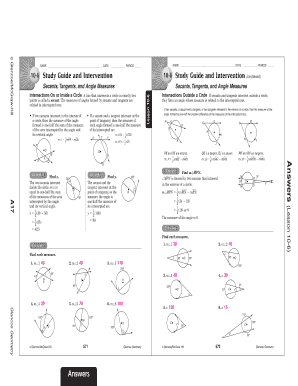
Get 9 2 Study Guide And Intervention Measuring Angles And Arcs
How it works
-

Open form follow the instructions
-

Easily sign the form with your finger
-

Send filled & signed form or save
How to fill out the 9 2 Study Guide And Intervention Measuring Angles And Arcs online
This guide provides clear, step-by-step instructions for completing the 9 2 Study Guide And Intervention Measuring Angles And Arcs online. Whether you are a student looking to enhance your understanding of geometric principles or a user seeking assistance in managing your educational materials, this guide will support you in filling out the form effectively.
Follow the steps to successfully complete the study guide form.
- Press the ‘Get Form’ button to retrieve the 9 2 Study Guide And Intervention Measuring Angles And Arcs document and open it in the online editor.
- Begin by entering your name in the designated field. This identifies you as the user of the study guide.
- Fill in the date by selecting it from a calendar dropdown or entering it manually in the specified format.
- Indicate the class period in the provided field to help categorize the submission.
- Read through each section of the study guide, focusing on the measurements and examples of angles formed by secants and tangents. Make notes in the margins or use a separate document to compile your understanding.
- Complete the practice exercises by writing your answers in the appropriate spaces provided in the online form. Ensure you follow the instructions for calculating angles based on the relationships defined in the guide.
- Once you have completed all sections and exercises, review your answers for accuracy and clarity.
- After finalizing your entries, use the options to save your changes, download the filled form for your records, print a copy for offline use, or share the document if necessary.
Start filling out the 9 2 Study Guide And Intervention Measuring Angles And Arcs online today to strengthen your geometry skills!
The Word headed paper template Open a new document. Under Layout > Margins: set the margin sizes for the page (we recommend keeping them fairly wide). Under Insert > Header: choose the layout that you prefer and then insert your logo and text. Under Insert > Footer: choose a layout and then insert your text.
Industry-leading security and compliance
-
In businnes since 199725+ years providing professional legal documents.
-
Accredited businessGuarantees that a business meets BBB accreditation standards in the US and Canada.
-
Secured by BraintreeValidated Level 1 PCI DSS compliant payment gateway that accepts most major credit and debit card brands from across the globe.