Loading
Get (customer) Agreement E - Channels Master Customer Agreement
How it works
-

Open form follow the instructions
-

Easily sign the form with your finger
-

Send filled & signed form or save
How to fill out the (Customer) Agreement E - Channels Master Customer Agreement online
This guide provides clear and detailed instructions for completing the (Customer) Agreement E - Channels Master Customer Agreement online. Whether you're familiar with legal documents or just starting, this step-by-step approach will assist you in ensuring accuracy and completeness.
Follow the steps to fill out the form accurately and efficiently.
- Press the ‘Get Form’ button to access the agreement and open it in the online editor.
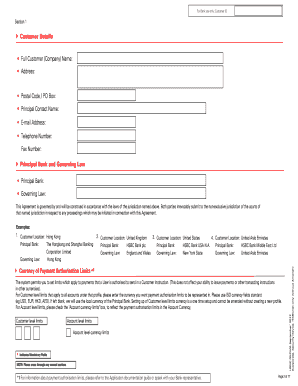
- Begin by entering your customer details in Section 1. This includes your full customer (company) name, address, postal code or PO box, principal contact name, e-mail address, and telephone number.
- Provide information about the principal bank and governing law applicable to this agreement. Select the principal bank from the options listed and choose the governing law from the jurisdiction mentioned.
- In the currency of payment authorisation limits section, specify the currency using ISO currency codes (e.g., USD, EUR). If you wish to set account level limits, make sure to check the appropriate box.
- List the initial system administrators in the designated section. Include their HSBCnet usernames, office address, e-mail address, and mobile phone number. Indicate if auto-entitlement to all accounts and services is required.
- Decide whether you prefer dual control or sole authority for your system administrators. Mark the appropriate checkbox to indicate your choice.
- Fill in the Accounts and Services Schedule by providing the name of the Account Holding Bank and Country, along with account details and service selection for your accounts through the specified e-channel.
- Complete the Customer Associate section if applicable, ensuring all separate legal entities are listed accurately, along with their account details.
- Review the E-Channels terms and conditions carefully to understand your responsibilities and rights under this agreement.
- Ensure that all mandatory fields are completed, double-check the information entered for accuracy and completeness, and sign the agreement as required.
- Finally, save your changes, then download, print, or share the completed agreement as necessary for your records.
Start completing the (Customer) Agreement E - Channels Master Customer Agreement online now to streamline your banking processes.
HSBC is one of the world's largest banking and financial services organisations. We serve approximately 39 million customers through our global businesses: Wealth and Personal Banking, Commercial Banking, and Global Banking & Markets.