Loading
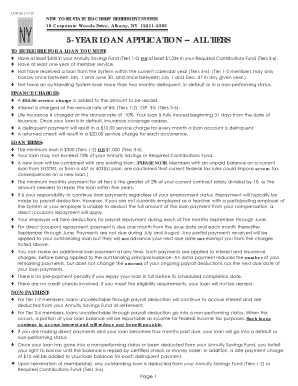
Get Nystrs Loan Form
How it works
-

Open form follow the instructions
-

Easily sign the form with your finger
-

Send filled & signed form or save
How to fill out the Nystrs Loan Form online
Filling out the Nystrs Loan Form online can be an easy process with the right guidance. This comprehensive guide will walk you through each section of the form, ensuring that you provide all the necessary information accurately and efficiently.
Follow the steps to complete the Nystrs Loan Form online.
- Click ‘Get Form’ button to obtain the form and open it in the online editor.
- Start by entering your date of birth, employee ID number, and social security number. Ensure all entries are accurate to avoid delays.
- Fill in your name and permanent street address. If your address has changed, check the appropriate box to indicate this update.
- Provide your contact telephone numbers, marking whether they are home, work, or cell numbers.
- Indicate whether you are currently employed by a participating employer of this system and provide the employer's name.
- Select your loan amount by checking one box that indicates either the maximum loan available, a specific loan amount, or a maximum non-taxable loan.
- Choose your repayment term by selecting one option from the available durations, or specify a monthly repayment amount if desired.
- Complete the deferred compensation information if applicable. Disclose any existing loans and current loan balances to ensure your application is processed correctly.
- Review your entries for accuracy. Your application will face delays if any information is missing or invalid.
- Sign and date the form to authorize your employer to deduct repayments as necessary.
- Once the form is completed, save changes, download, print, or share the form as needed.
Complete your documents online today for a smooth loan application process.
Pension Information To reach the Retirement System's Call Center with questions or to set up an appointment to speak with a Retirement Information Representative, employees in Albany can call (518) 474-7736. Employees elsewhere in the state can call 1-866-805-0990.
Industry-leading security and compliance
US Legal Forms protects your data by complying with industry-specific security standards.
-
In businnes since 199725+ years providing professional legal documents.
-
Accredited businessGuarantees that a business meets BBB accreditation standards in the US and Canada.
-
Secured by BraintreeValidated Level 1 PCI DSS compliant payment gateway that accepts most major credit and debit card brands from across the globe.