Loading
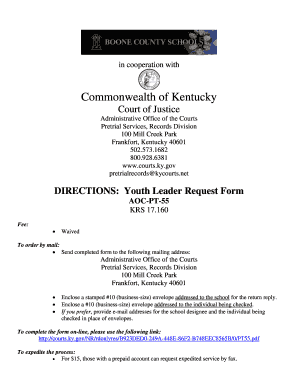
Get Background Check Information - Boone County Schools
How it works
-

Open form follow the instructions
-

Easily sign the form with your finger
-

Send filled & signed form or save
How to fill out the Background Check Information - Boone County Schools online
Filling out the Background Check Information form for Boone County Schools is an essential step for ensuring compliance and safety within the educational environment. This guide provides clear and supportive instructions to help users navigate the online form efficiently.
Follow the steps to complete the form accurately and efficiently.
- Click the ‘Get Form’ button to access the form and open it in your preferred document editor.
- Carefully read through the instructions on the form to understand the requirements and any necessary details that need to be filled out.
- Fill in your personal information, including your full name, date of birth, and any required identification numbers. Ensure all information is accurate to prevent processing delays.
- Provide the addresses for both the school and the individual being checked, as required, making sure they are clearly written to avoid miscommunication.
- If requested, include the email addresses for both the school designee and the individual being checked to streamline the communication process.
- Review all entries for completeness and accuracy before submitting the form.
- Once completed, save changes to your document. You may choose to download, print, or share the form as needed.
Complete your background check information form online today!
To run a personal background check, you will need to provide basic personal information like your name, date of birth, residential address and Social Security number. Although results typically appear instantly, some searches can take up to a few days.