Loading
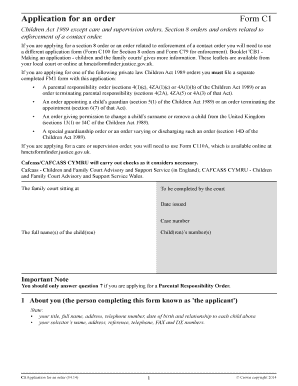
Get Application For An Order Form C1 - Family Law - Familylaw Co
How it works
-

Open form follow the instructions
-

Easily sign the form with your finger
-

Send filled & signed form or save
How to fill out the Application For An Order Form C1 - Family Law - Familylaw Co online
This guide provides you with clear and supportive instructions for completing the Application For An Order Form C1 related to family law matters. Whether you are new to legal forms or seeking clarity on the process, this comprehensive overview will help you navigate each section of the application with confidence.
Follow the steps to successfully complete your application online:
- Press the ‘Get Form’ button to access the form and open it for editing.
- In the first section, fill in your details as the applicant. Include your title, full name, address, telephone number, date of birth, and your relationship to each child listed. If you have a solicitor, provide their name and contact information.
- Move to the next section and provide information for each child you are applying for. Include their full name, date of birth, sex, and the type of order(s) you wish to request.
- In the subsequent section, indicate if there are any other court cases concerning the child or their siblings. You should attach relevant orders and provide identifying information for any guardians or welfare officers involved.
- Next, you will detail the respondents by giving their titles, full names, addresses, dates of birth (if known), and their relationship to the children.
- List any other individuals to whom notice is to be given, including their title, full name, address, date of birth (if known), and relationship to the child.
- In the section about the care of the children, provide details about the child's current residence, how long they have lived there, and who is responsible for their care.
- If there is any reason to believe the child has experienced domestic abuse or violence, answer accordingly. If the answer is 'Yes', you will need to complete the Supplemental Information Form (C1A).
- In the social services section, indicate whether the child is known to social services and provide the social worker's contact details if applicable.
- For the education and health of the child, fill in the name of the educational institution the child attends and provide information regarding their health and any special needs.
- Outline the parents' information for each child, including full names, marital status, whether they live together, and any relevant court case information.
- In the family section, list any other children in the family who have not been mentioned, including their full name, address, and relationship to you.
- Mention any other adults living with the child at the address, indicating their involvement in any court cases.
- In the reasons for applying section, succinctly state your motivations for applying and the desired court orders.
- Finally, indicate whether you will need an interpreter at court and detail any special assistance required.
- Review all entries for accuracy, make any necessary adjustments, and then proceed to save, download, print, or share the completed form.
Complete your application online to ensure a smooth and efficient process.
To start the transcript we can simply use the cmdlet Start-Transcript . Then after we have executed the scripts that we want to run, we can stop the transcript with Stop-Transcript .
Industry-leading security and compliance
US Legal Forms protects your data by complying with industry-specific security standards.
-
In businnes since 199725+ years providing professional legal documents.
-
Accredited businessGuarantees that a business meets BBB accreditation standards in the US and Canada.
-
Secured by BraintreeValidated Level 1 PCI DSS compliant payment gateway that accepts most major credit and debit card brands from across the globe.