Loading
Get Bof 4542a
How it works
-

Open form follow the instructions
-

Easily sign the form with your finger
-

Send filled & signed form or save
How to fill out the Bof 4542a online
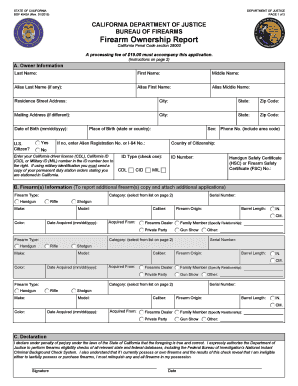
The Bof 4542a is a required form for reporting firearm ownership in California. This guide will help you navigate the process of filling it out online, ensuring that you provide all necessary information accurately and efficiently.
Follow the steps to complete your Bof 4542a form online.
- Click the ‘Get Form’ button to access the Bof 4542a and open it for completion.
- In section A, Owner Information, enter your last name, first name, middle name, and any aliases. Fill in your residence and mailing addresses, date of birth, and phone number. Indicate your U.S. citizenship status and provide the relevant identification number.
- In section B, Firearm(s) Information, specify the category and type of each firearm you are reporting. Fill out the make, model, serial number, caliber, origin, barrel length, color, date acquired, and the source from which you acquired the firearms.
- In section C, Declaration, read the declaration statement carefully. You must sign and date it to certify that the information provided is true and correct.
- After you have completed all sections of the form, review your entries for accuracy. Once confirmed, save your changes, and choose whether to download, print, or share the completed form.
Begin the process of filling out your Bof 4542a online today.
California has had a waiting period law for firearm purchases continuously since 1923. The purpose is to allow time for law enforcement to complete a background check and also to provide a “cooling off” period. The 1923 law barred delivery of a pistol on the day of purchase.