Loading
Get Irs Form 5645
How it works
-

Open form follow the instructions
-

Easily sign the form with your finger
-

Send filled & signed form or save
How to fill out the Irs Form 5645 online
Filling out the Irs Form 5645 online is a straightforward process that requires careful attention to detail. This guide will provide you with clear, step-by-step instructions to ensure that your form is completed accurately and submitted successfully.
Follow the steps to fill out the Irs Form 5645 online.
- Press the ‘Get Form’ button to obtain the form and open it in your preferred editor.
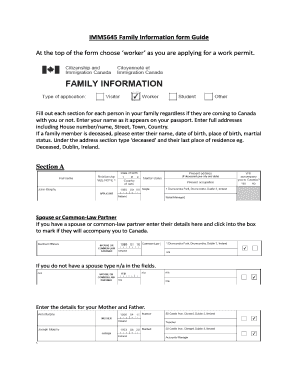
- Begin by selecting your category; if applying for a work permit, choose ‘worker’ at the top of the form. This establishes the context of your application.
- In Section A, provide details about your spouse or common-law partner, if applicable. If the individual is accompanying you to Canada, mark the corresponding box. If you do not have a spouse, enter 'n/a' in the relevant fields.
- List your parents’ details in Section A as well, including their names and full addresses. Ensure these addresses include house numbers, street names, towns, and countries.
- If any family member has passed away, enter their name, date of birth, place of birth, and marital status. In the address section, type 'deceased' followed by their last known residence, for example, ‘Deceased, Dublin, Ireland’.
- Sign Section A only if you do not have a spouse.
- Move to Section B to provide information about your children. Include their details and indicate whether they will accompany you to Canada.
- Sign Section B only if you do not have any children.
- In Section C, it is mandatory for everyone to fill out their siblings’ details. Indicate if they will be accompanying you to Canada.
- Everyone, including siblings, must sign Section C to validate the information provided.
- After completing all sections, print the form, sign it, and scan the document to save it to your computer.
- Once saved, you can download, print, or share the completed Irs Form 5645 as needed.
Start completing your Irs Form 5645 online today for a smooth application process.
Enter the result on line 14 of Form 5695. Review line 13 and line 14, and put the smaller of the two values on line 15. If your tax liability is smaller than your tax credits, subtract line 15 from line 13, and enter it on line 16. That's the amount you can claim on next year's taxes.