Loading
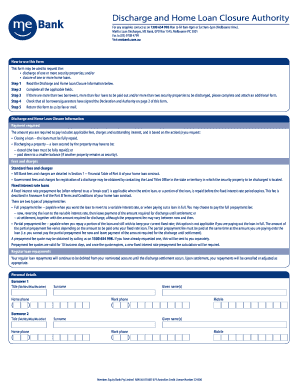
Get Mebank Discharge Form
How it works
-

Open form follow the instructions
-

Easily sign the form with your finger
-

Send filled & signed form or save
How to fill out the Mebank Discharge Form online
Filling out the Mebank Discharge Form online is a straightforward process. This guide will provide detailed steps to help you complete the form accurately, ensuring a smooth discharge and closure of your home loan.
Follow the steps to successfully complete the form.
- Use the ‘Get Form’ button to access the Mebank Discharge Form and open it in your preferred online editor.
- Read the Discharge and Home Loan Closure Information carefully before proceeding. This section outlines important details regarding fees and the process for discharging loans.
- Fill out all applicable fields, making sure to provide your personal details accurately under the Borrower sections.
- For each loan listed, indicate whether it will be paid out in full or partially. If partially, specify the payout amount.
- Next, provide the details of any security properties to be discharged, along with the reason for the request.
- If you have more than two borrowers or more than four loans, complete and attach an additional form as required.
- Ensure all borrowers and guarantors sign the Declaration and Authority on the last page of the form.
- Once you have completed the form, review it for accuracy and completeness, then save your changes.
- You can choose to download, print, or share the completed form via your online platform.
Start filling out the Mebank Discharge Form online today to proceed with your loan closure.
Step-by-step process Speak to your lender. Let them know about your intention to discharge your mortgage, and confirm the fees and how long it will take. Contact a broker or conveyancer. ... Fill in a Discharge Authority form. ... Your bank registers the discharge of mortgage. ... The discharge is finalised.