Loading
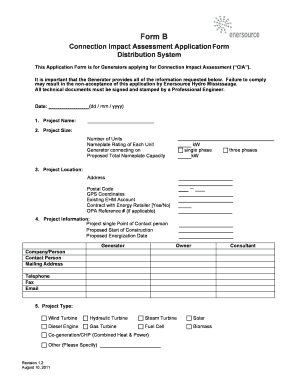
Get Form B - Enersource
How it works
-

Open form follow the instructions
-

Easily sign the form with your finger
-

Send filled & signed form or save
How to fill out the Form B - Enersource online
Filling out the Form B - Enersource is an essential step for generators seeking to apply for a Connection Impact Assessment. This guide provides a clear, step-by-step approach to help you navigate the form efficiently and accurately.
Follow the steps to successfully complete the Form B - Enersource.
- Press the ‘Get Form’ button to access the Form B - Enersource and open it in your editor of choice.
- Enter the date in the format dd/mm/yyyy. This is important for document tracking.
- Provide the project name, size, and relevant generator details, including the number of units and their nameplate ratings. Specify whether the generator is connecting on a single or three phase.
- Detail the project location by including the complete address, postal code, GPS coordinates, and indicate if there is an existing account with Enersource Hydro Mississauga or a contract with an energy retailer.
- Specify the project contact person and provide their contact details, including mailing address, telephone, fax, and email. Also, include the proposed start date of construction and energization date.
- Select the appropriate project type from options such as wind turbine, hydraulic turbine, or solar, among others.
- For the single line diagram, provide the necessary diagram along with the drawing number and revision, ensuring it includes the interface point to Enersource Hydro Mississauga's distribution system.
- Fill in the machine characteristics if applicable, including details about generator characteristics, starting inrush current, and any additional information about the rotating machine type.
- Create and attach a location and site plan that outlines approximate line routings for connection to nearby Enersource facilities.
- Complete the transformer information section, covering all characteristics related to step-up transformers, including ratings, connections, and impedance details.
- If known, provide load information including maximum load, maximum load current, and maximum inrush current.
- Lastly, attach any required documents and drawings, ensuring each is clearly labeled with descriptions, reference numbers, and the number of pages.
- Once all sections are completed, review the form for accuracy. You may then choose to save your changes, download, print, or share the form as necessary.
Ensure you complete and submit your Form B - Enersource online to facilitate a smooth application process.