Loading
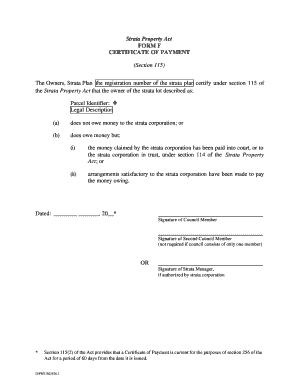
Get Certificate Of Payment Form
How it works
-

Open form follow the instructions
-

Easily sign the form with your finger
-

Send filled & signed form or save
How to fill out the Certificate Of Payment Form online
Filling out the Certificate Of Payment Form online can streamline the process of certifying payment status within the strata property framework. This guide provides comprehensive steps ensuring that users can complete the form accurately and efficiently.
Follow the steps to complete the Certificate Of Payment Form online.
- Click ‘Get Form’ button to obtain the form and open it in an online editor.
- Fill in the section for the strata plan registration number. This is essential for identifying the specific strata property involved.
- Describe the strata lot in the provided fields. Include details such as the parcel identifier and legal description to accurately identify the property.
- Indicate whether there are outstanding payments owed to the strata corporation. Choose option (a) if there are no debts or option (b) if there are debts owed.
- If option (b) is selected, specify the arrangements made: whether the debt has been paid into court or to the strata corporation in trust, or if satisfactory arrangements to pay are in place.
- Complete the date section to indicate when the form is being filled out.
- Sign the form where indicated. This can be done by a council member, or if authorized, by a strata manager. If there is only one council member, their signature is sufficient.
- Review all entered information for accuracy before finalizing. Ensure that all necessary fields are completed.
- Once you have filled in the required details, you can save changes, download, print, or share the form as needed.
Start completing your documents online today!
Payment certificates are the go-to standard for processing payments from architects and engineers to the client within a construction project. They have a major impact on cash flow and are issued over the lifespan of a project.