Loading
Get Crawford Advisors Fsa
How it works
-

Open form follow the instructions
-

Easily sign the form with your finger
-

Send filled & signed form or save
How to fill out the Crawford Advisors Fsa online
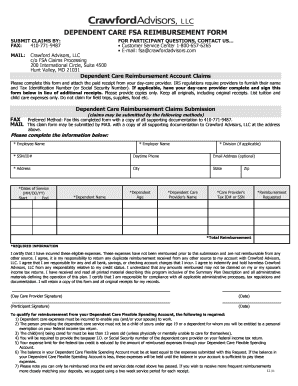
Filling out the Crawford Advisors Fsa is a straightforward process that allows users to easily request reimbursement for dependent care expenses. This guide provides step-by-step instructions to help you complete the form accurately and efficiently, ensuring a smooth submission.
Follow the steps to complete your reimbursement request
- Click ‘Get Form’ button to obtain the form and open it in the editor.
- Begin by providing your employee information. Fill in your name, employer's name, division (if applicable), Social Security Number or ID number, daytime phone number, and email address (optional). Make sure all details are accurate.
- Enter your residential address including city, state, and zip code.
- Input the service dates of dependent care. Use the format MM/DD/YY to specify the start and end dates.
- Provide the dependent's name and age, ensuring that you list only qualified dependents.
- Fill in the name of the dependent care provider, and include their Tax Identification Number or Social Security Number.
- Indicate the total amount you are requesting for reimbursement. Ensure it is accurate, as this is a required field.
- Review the certification statement on the form. By signing, you agree that all submitted expenses have not been reimbursed elsewhere and are compliant with IRS regulations.
- Both the day care provider and the participant must sign and date the form in the designated fields.
- Once all sections are completed, save your changes. You may then download, print, or share the form as required for your submission.
Complete your reimbursement request online today!