Loading
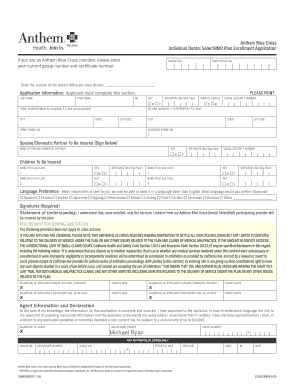
Get Individual Dental Selecthmo Plan Enrollment Application
How it works
-

Open form follow the instructions
-

Easily sign the form with your finger
-

Send filled & signed form or save
How to fill out the Individual Dental SelectHMO Plan Enrollment Application online
Filling out the Individual Dental SelectHMO Plan Enrollment Application online can be a straightforward process when guided through the necessary steps. This guide aims to provide clear instructions to ensure your application is completed accurately and efficiently.
Follow the steps to successfully complete your application.
- Click ‘Get Form’ button to obtain the application form and open it in your preferred editor.
- In the top section, if you are already an Anthem Blue Cross member, enter your current group number and certificate number in the designated fields.
- Select the dental office you have chosen by entering the respective number in the specified area.
- Proceed to the Application Information section. Complete the following fields: last name, first name, middle initial, sex, birthdate (in month/day/year format), and marital status.
- If your billing address is different from your home address, provide the billing address. If you do not have a P.O. Box, ensure your home address is complete, including city, state, and ZIP code.
- Enter your Social Security number, home phone number, and business phone number in the appropriate fields.
- For the coverage of a partner, fill in their name, sex, birthdate, and Social Security number in the spouse/domestic partner section.
- In the children to be insured section, list each child’s name, sex, and birthdate as required, ensuring to complete all fields.
- Indicate your language preference for receiving information by selecting from the available languages.
- Read through the required signatures section, understanding the statement of understanding and binding arbitration provisions, and then sign where appropriate.
- Complete the agent information area if applicable, ensuring the agent's signature and details are filled in accurately.
- Select your payment method; choose between credit/debit card or checking account options for automatic payments. Fill in the necessary payment details based on your choice.
- Review all information entered for accuracy and completeness.
- Once you are confident that all required fields are filled out correctly, save your changes. You may then download, print, or share the completed form as needed.
Start completing your Individual Dental SelectHMO Plan Enrollment Application online today for efficient enrollment.
Dental insurance purchased individually, as opposed to participation in an employer-sponsored group plan, isn't always worth the cost. The coverage usually has an annual maximum limit and certain procedures have hefty coinsurance payments.