Loading
Get Data Entry Form - Killeenisd
How it works
-

Open form follow the instructions
-

Easily sign the form with your finger
-

Send filled & signed form or save
How to fill out the Data Entry Form - Killeenisd online
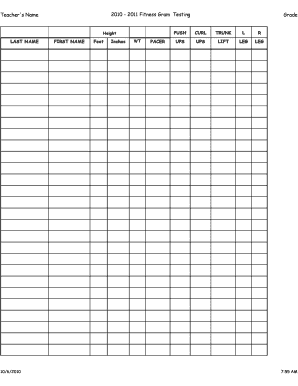
The Data Entry Form - Killeenisd serves as a crucial document for recording important physical fitness data. This guide will provide clear, step-by-step instructions to assist users in accurately completing the form online.
Follow the steps to effectively complete the form.
- Click the ‘Get Form’ button to obtain the form and open it for editing.
- Enter the teacher's name in the designated field to identify the educator overseeing the fitness testing.
- Fill in the student's last name and first name, ensuring accurate spelling for proper identification.
- Record the student's height by specifying the measurement in feet and inches in the appropriate fields.
- Indicate the weight of the student in the given weight (WT) field, using the appropriate units.
- Complete the PACER section by noting the student's performance results in the designated field.
- Record the results for the push-up and curl-up sections by filling in the numbers for left and right as specified.
- Note the trunk lift results in the appropriate section to summarize the student’s flexibility performance.
- Fill in any additional fields related to grading or assessment as relevant.
- Finally, save your changes, and use the options provided to download, print, or share the completed form as needed.
Complete your paperwork online today for a streamlined documentation process.
To sign a document using Adobe Reader, first open the PDF document in the Adobe Acrobat Reader DC application. Click the “Fill & Sign” button in the right pane. Click the “Sign” button on the toolbar and select “Add Signature” to add your signature to Adobe Acrobat Reader DC.
Industry-leading security and compliance
US Legal Forms protects your data by complying with industry-specific security standards.
-
In businnes since 199725+ years providing professional legal documents.
-
Accredited businessGuarantees that a business meets BBB accreditation standards in the US and Canada.
-
Secured by BraintreeValidated Level 1 PCI DSS compliant payment gateway that accepts most major credit and debit card brands from across the globe.