Loading
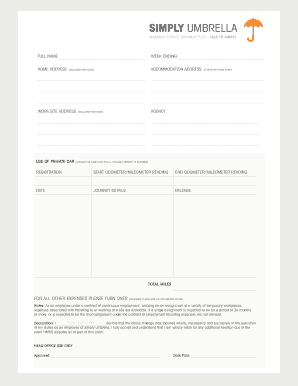
Get Payco Online Expe S Form
How it works
-

Open form follow the instructions
-

Easily sign the form with your finger
-

Send filled & signed form or save
How to fill out the Payco Online Expe S Form online
Filling out the Payco Online Expe S Form can seem daunting, but with this guide, you will find it straightforward and manageable. Follow the steps below to ensure that your application is completed accurately and efficiently.
Follow the steps to successfully complete the Payco Online Expe S Form.
- Click ‘Get Form’ button to obtain the form and open it in the editor.
- Enter your full name in the designated field to identify yourself as the applicant.
- For the ‘Week ending’ section, please indicate the relevant week for which you are submitting the expenses.
- Fill in your home address, including the post code, ensuring it is accurate for any correspondence regarding your submission.
- If your accommodation address differs from your home address, provide that information in the appropriate field.
- Input the work site address, including the post code, where you performed your duties.
- Specify the agency associated with your employment in the provided section.
- Complete the private car usage section, including the registration number, start odometer, and end odometer readings for mileage verification.
- Detail the date of your journey and the mileage incurred during your travels on behalf of your duties.
- Summarize the total miles traveled in the designated field.
- If applicable, complete the section for other expenses by detailing the dates, types, and sums for travel expenses, subsistence, and accommodation.
- Sign the declaration confirming that the information provided is accurate and that you understand your responsibilities regarding any necessary tax implications.
- After reviewing the completed form, you can save your changes, download, print, or share the form as necessary.
Complete your Payco Online Expe S Form online today for a seamless expense reimbursement process.