Loading
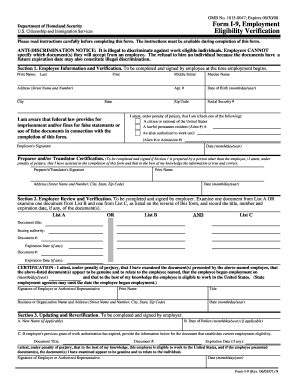
Get Employment Application - Capitol Security Services - Capitolsecurity
How it works
-

Open form follow the instructions
-

Easily sign the form with your finger
-

Send filled & signed form or save
How to fill out the Employment Application - Capitol Security Services - Capitolsecurity online
Filling out the Employment Application for Capitol Security Services is a crucial step in your job search process. This guide will provide you with clear and supportive instructions to help you complete each section of the application accurately and confidently.
Follow the steps to successfully complete your application online.
- Click ‘Get Form’ button to obtain the form and open it in the designated online editor.
- Begin by entering your personal information. This includes your last name and first initial, followed by your complete name (last, first, middle initial), street address, city, state, zip code, home and work phone numbers, facsimile number, email address, and social security number. Include your driver’s license number and state, along with the expiration date if the job involves driving.
- In the Employment Desired section, specify the position you are applying for, indicate how you heard about this position, and provide your availability date along with your desired hours (full-time, part-time, etc.).
- Proceed to the Education section. Fill in the name and address of the schools you've attended, specify your course of study, total years of study, and any degrees or diplomas received. If applicable, list any additional seminars, classes, or relevant education.
- Next, move to the Employment History section. List all current and previous employers from the past ten years, starting with the most recent. Ensure to account for all periods of unemployment. In this section, you will need to provide start and end dates, salaries, job functions, supervisor information, and reasons for leaving.
- Complete the Additional Information section. Here, you can list any professional or civic activities, languages spoken, formal job training relevant to the position, and any skills or certifications you possess that relate to the job.
- Address the questions regarding previous employment with this company, acquaintances employed there, and any current employment status. Be prepared to respond to questions about driving convictions or transportation means.
- Complete the References section. Provide the names and contact details of three people who are not related to you but are familiar with your work performance.
- Carefully read the Equal Employment Opportunity Statement and other policy statements, then initial each statement to acknowledge your understanding.
- Finally, review your application to ensure all sections are completed accurately. Save your changes, then proceed to download, print, or share the application as necessary.
Complete your Employment Application online today and take the next step in your career with Capitol Security Services!
Performing routine inspections in the areas they are guarding. Securing specific areas during maintenance work and emergencies. Monitoring activities on security camera video monitors. Staying alert and observant, and reporting suspicious activities.