Loading
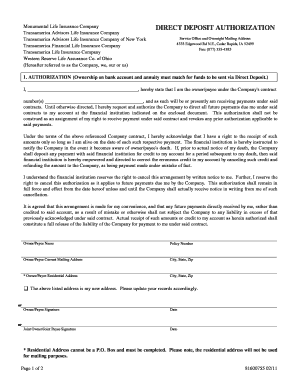
Get Transamerica Direct Deposit
How it works
-

Open form follow the instructions
-

Easily sign the form with your finger
-

Send filled & signed form or save
How to fill out the Transamerica Direct Deposit online
The Transamerica Direct Deposit form allows users to authorize the direct deposit of payments into their bank account. This guide will provide clear, step-by-step instructions for completing the form online, ensuring you have all necessary information at hand.
Follow the steps to complete your Direct Deposit authorization form
- Click ‘Get Form’ button to obtain the form and open it in the editor.
- In the authorization section, clearly print your name as the owner or payee. This should match the ownership on the bank account and annuity. Provide your contract number(s) to confirm your association with the Company.
- Indicate your agreement by signing and dating the authorization section, acknowledging your request for future payments to be directed to your selected financial institution.
- In the section for your current mailing and residential address, ensure all details are accurate, including city, state, and zip code. If you have a new address, check the appropriate box and update your records accordingly.
- Proceed to the financial institution information section. Specify whether you are setting up a savings or checking account for direct deposit. If using a checking account, make sure to attach a voided check.
- Fill out the name, phone number, and mailing address of your financial institution, providing the correct city, state, and zip code.
- Once all information is entered correctly, review the entire form for accuracy. Ensure all fields have been filled out properly before proceeding.
- Finally, you can save changes, download the completed form, print it for your records, or share it as needed.
Complete your documents online for a convenient and efficient process.
You can either pay online at Transamerica Life Insurance's website, or you can use Prism's mobile app to pay all your bills.