Loading
Get Sf30
How it works
-

Open form follow the instructions
-

Easily sign the form with your finger
-

Send filled & signed form or save
How to fill out the Sf30 online
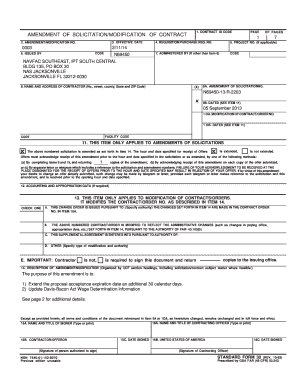
The Sf30 form, also known as the amendment of solicitation or modification of contract, is an essential document used in contract management. This guide provides step-by-step instructions on how to complete the Sf30 online efficiently and accurately.
Follow the steps to fill out the Sf30 form correctly.
- Press the ‘Get Form’ button to obtain the Sf30 and open it in your preferred online editor.
- Begin by filling in the Contract ID Code at the top of the form; this identifies the specific contract involved in the modification.
- In the field for Amendment/Modification No., enter the number of the amendment being documented. Ensure consistency with previous documentation.
- Input the effective date of this amendment in the provided section to indicate when the changes will take effect.
- Complete the requisition/purchase request number to reference any specific orders related to this amendment.
- If applicable, include the project number for further clarity on the context of the contract.
- Provide the name and address of the contractor accurately, including all relevant details such as street address, city, state, and ZIP code.
- In the section for the amendment of solicitation number, ensure the correct solicitation number is entered, along with the date, if specified.
- Address any changes to the contract/order number and its corresponding date, ensuring all information remains current.
- Fill out the required items that apply to amendments of solicitations, such as terms related to receipt acknowledgment.
- In the description of amendment/modification section, begin to summarize the purpose of the changes clearly and systematically.
- Complete additional details as necessary in the continuation of the summary of changes, especially regarding any alterations in wage determinations or regulations.
- Once completed, review all sections for accuracy before saving your changes. You can then download, print, or share the completed form as needed.
Complete your documents online to ensure efficiency and accuracy in your contract management.
Press START+B to turn on the controller, LED 1 wil start to blink. Press and hold PAIR for 3 seconds to enter pairing mode. ... Go to your Android devices Bluetooth seting, pair with [8Bitdo SF30 Pro] or [8Bitdo SN30 Proj].
Industry-leading security and compliance
US Legal Forms protects your data by complying with industry-specific security standards.
-
In businnes since 199725+ years providing professional legal documents.
-
Accredited businessGuarantees that a business meets BBB accreditation standards in the US and Canada.
-
Secured by BraintreeValidated Level 1 PCI DSS compliant payment gateway that accepts most major credit and debit card brands from across the globe.