Loading
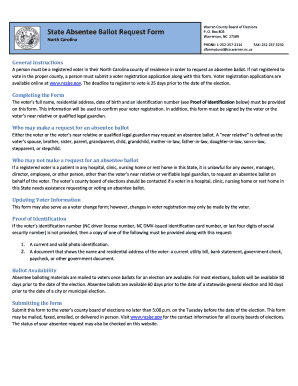
Get Absentee Ballot Request Form - Warren County
How it works
-

Open form follow the instructions
-

Easily sign the form with your finger
-

Send filled & signed form or save
How to fill out the Absentee Ballot Request Form - Warren County online
This guide provides clear and concise instructions for filling out the Absentee Ballot Request Form for Warren County online. By following these steps, users can ensure a smooth process in requesting an absentee ballot and participating in elections.
Follow the steps to fill out the Absentee Ballot Request Form effectively.
- Click ‘Get Form’ button to obtain the form and open it in the editing interface.
- Begin by entering your personal information in the designated fields. This includes your last name, first name, middle name, and residential address. Make sure the address provided is your current North Carolina residential address.
- Enter your date of birth in the format specified on the form. Providing your date of birth helps confirm your identity as a registered voter.
- Fill out the mailing address field if it differs from your home address. This is where your absentee ballot will be sent.
- Indicate if you have lived at your current address for more than 30 days by selecting 'Yes' or 'No.' If you select 'No,' provide the date of your move.
- You must provide at least one identification number. This can be your North Carolina driver's license number, DMV-issued identification card number, or the last four digits of your social security number.
- If you need the ballot sent to a specific absentee mailing address, fill this section accordingly, including city, state, and zip code.
- If you are a registered voter who is unaffiliated and requesting a ballot for a partisan primary, select your primary ballot preference: Democratic, Republican, Libertarian, or Non-partisan.
- If you are currently a patient in a hospital, clinic, nursing home, or rest home, indicate whether you will need assistance in marking your ballot.
- If you are requesting an absentee ballot on behalf of a near relative, complete the requestor’s name, relationship, and contact information.
- For military or overseas voters, select the appropriate option to qualify and provide your current address where you are stationed or living overseas.
- Select how you would like to receive your ballot (mail, fax, or email) and provide the necessary contact details.
- Sign the form to authenticate your request. If you are a near relative or guardian submitting the request, be sure to sign in the appropriate section too.
- Once all fields are completed, review your information for accuracy. After verifying, you may save changes, download, print, or share the form as needed.
Complete your Absentee Ballot Request Form online today to ensure your voice is heard in the upcoming election.