Loading
Get Isoa Insurance
How it works
-

Open form follow the instructions
-

Easily sign the form with your finger
-

Send filled & signed form or save
How to fill out the Isoa Insurance online
Filling out the Isoa Insurance form online can streamline your claims process and ensure that you receive the benefits you are entitled to. This guide will provide you with clear, step-by-step instructions to help you complete each section of the form effectively.
Follow the steps to submit your Isoa Insurance claim online.
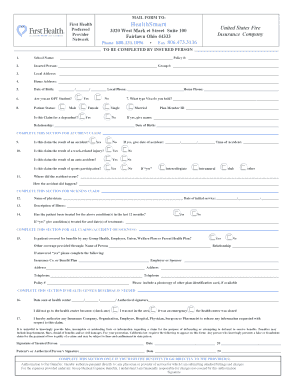
- Press the ‘Get Form’ button to access the form and open it in your preferred editor.
- Begin by entering the school name in the designated field and include your policy number accurately.
- Provide your personal information in the 'Insured Person' section, including your group number.
- Complete the local and home address sections with your current addresses. Ensure accuracy to avoid any processing delays.
- Select your patient status from the options provided and fill in both local and home phone numbers.
- Specify your visa type if applicable and indicate if this claim is for a dependent, providing their name and relationship if 'yes.'
- If your claim is related to an accident, complete the corresponding section, providing details such as the date and time of the accident.
- For sickness claims, enter the name of the physician and the initial service date, along with a description of the illness.
- Indicate whether the patient has received treatment for the described condition in the past 12 months.
- Include a photocopy of any other plan identification card if available.
- If a health center referral is needed, note the date you were seen and provide an authorized signature.
- Acknowledge the statement about knowingly providing false information and sign in the designated fields.
- Finalize your form by indicating if you want the benefits to go directly to the service providers and signing the authorization.
- Once completed, save your changes, download the form for your records, print it, or share it as needed.
Complete your Isoa Insurance form online today for a seamless claims process.
International students are not eligible for Obamacare plans or plans available on each state's insurance marketplace. The only way for an international student to get a domestic plan is to purchase a plan offered by their institution or through an employer.