Loading
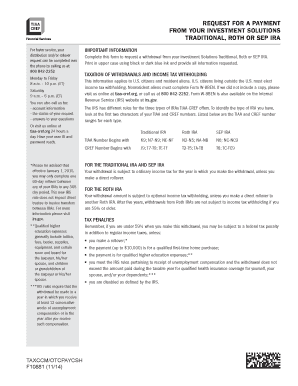
Get Request For A Payment From Your Investment Solutions Bb - Tiaa-cref
How it works
-

Open form follow the instructions
-

Easily sign the form with your finger
-

Send filled & signed form or save
How to fill out the Request For A Payment From Your Investment Solutions Bb - TIAA-CREF online
This guide provides step-by-step instructions on how to fill out the Request For A Payment From Your Investment Solutions Bb - TIAA-CREF form online. Following this guide will help ensure that your withdrawal request is completed accurately and efficiently.
Follow the steps to successfully complete your request form.
- Click the ‘Get Form’ button to access and open the Request For A Payment From Your Investment Solutions Bb - TIAA-CREF form.
- Begin by providing your personal information in Section 1. You will need to enter your first name, middle initial, last name, suffix, the last four digits of your social security number or taxpayer identification number, your contact telephone number, and your state of legal residence.
- In Section 2, indicate which IRA plan you want to receive your distribution from by providing the relevant TIAA and CREF numbers associated with your account.
- For Section 3, choose the type of withdrawal you are requesting. Specify whether it is a one-time withdrawal or a recurring withdrawal, and provide the necessary dates and payment frequency.
- Complete Section 4 by indicating the amount you wish to withdraw. You can choose to withdraw the entire available amount or specify certain amounts from selected accounts.
- If required, fill out Section 5 regarding your minimum distribution. Answer the questions accordingly, especially if your spouse is listed as a beneficiary.
- In Section 6, provide payment instructions. Here, you can select either direct deposit to your bank account already on file or provide information for a new account. Include necessary documentation if you choose a new account.
- Fill out Section 7, which pertains to tax withholding. You will need to indicate your choices for federal and voluntary state tax withholding.
- In Section 8, sign and date the form to authorize TIAA-CREF to process your request. Ensure that you are using black or dark blue ink as digital signatures are not accepted.
- After completing the form, review it to ensure all fields are accurately filled. Save the changes, then download, print, or share the completed form according to your needs.
Complete your Request For A Payment online today for a seamless experience.
You can withdraw funds at any time. Log into TIAA.org, then use the SUPPORT menu to choose TRANSACTIONS & INFORMATION. You can find your withdrawal request options in this section.
Industry-leading security and compliance
US Legal Forms protects your data by complying with industry-specific security standards.
-
In businnes since 199725+ years providing professional legal documents.
-
Accredited businessGuarantees that a business meets BBB accreditation standards in the US and Canada.
-
Secured by BraintreeValidated Level 1 PCI DSS compliant payment gateway that accepts most major credit and debit card brands from across the globe.