Loading
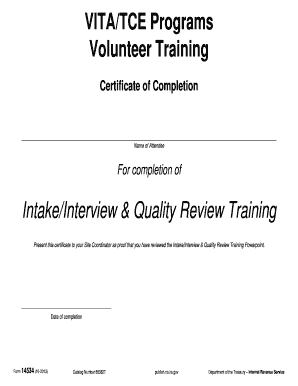
Get Form 14534 (rev. 10-2013). Intake/interview And Quality Review Certificate - Irs
This website is not affiliated with IRS
How it works
-

Open form follow the instructions
-

Easily sign the form with your finger
-

Send filled & signed form or save
How to use or fill out the Form 14534 (Rev. 10-2013). Intake/Interview And Quality Review Certificate - Irs online
Filling out the Form 14534 (Rev. 10-2013) is essential for individuals participating in the Intake/Interview and Quality Review Training. This guide provides clear, step-by-step instructions to help you complete the form accurately and efficiently.
Follow the steps to complete the form successfully.
- Click ‘Get Form’ button to obtain the form and open it in the editing interface.
- Fill in the name of the attendee in the appropriate field. Ensure the name matches the individual who completed the training.
- Enter the course title, which is 'Intake/Interview & Quality Review Training'. This affirms the training context.
- Document the date of completion. You should write the date when the training was successfully finished for validation.
- Once all fields are accurately filled, review the information for correctness to avoid any errors.
- Save changes to the form. After saving, you can choose to download, print, or share the completed form as needed.
Get started on completing your Form 14534 online today!
Related links form
Use Form 13614-C, Intake and Interview Sheet to engage your taxpayer in preparing an accurate return.
Industry-leading security and compliance
US Legal Forms protects your data by complying with industry-specific security standards.
-
In businnes since 199725+ years providing professional legal documents.
-
Accredited businessGuarantees that a business meets BBB accreditation standards in the US and Canada.
-
Secured by BraintreeValidated Level 1 PCI DSS compliant payment gateway that accepts most major credit and debit card brands from across the globe.