Loading
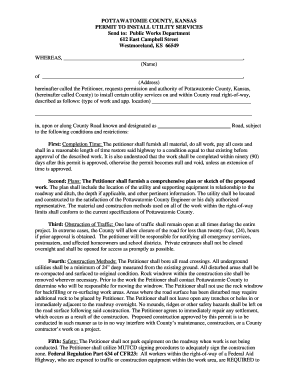
Get Permit To Install Utility Services In Pottawatomie County - Pottcounty
How it works
-

Open form follow the instructions
-

Easily sign the form with your finger
-

Send filled & signed form or save
How to fill out the Permit To Install Utility Services In Pottawatomie County - Pottcounty online
This guide provides comprehensive instructions for completing the Permit To Install Utility Services in Pottawatomie County online. Understanding each section of the form will ensure a smooth application process and compliance with local regulations.
Follow the steps to complete the permit application online:
- Click ‘Get Form’ button to obtain the permit document and open it in the online editor.
- Enter the name of the petitioner in the designated field, ensuring to include the full legal name.
- Provide the full address of the petitioner, including street name, city, state, and zip code in the appropriate fields.
- Describe the type of work being requested and its approximate location on the County Road in the 'type of work and app. location' section.
- Review the conditions and restrictions outlined in the permit to understand the responsibilities and requirements for the work to be completed.
- If required, prepare a comprehensive plan or sketch of the proposed work, ensuring it includes critical details such as utility location, equipment, and depth.
- Make sure one lane of traffic is noted to remain open during the project; provide a plan for any necessary road closures.
- Confirm compliance with all safety regulations, including wearing proper high-visibility apparel for workers in the right-of-way.
- Fill in the sections for signature, printed name, company, address, city, state, zip code, telephone number, and fax number.
- Have the permit recommended and signed by the Pottawatomie County Public Works Department before submitting the form.
- Once everything is complete, save changes made to the permit, and decide whether to download, print, or share the document as needed.
Complete your permit application online today to ensure your utility project progresses smoothly.
Place your caret on the first line of any C# or Visual Basic file. Press Ctrl+. to trigger the Quick Actions and Refactorings menu. Select Add file header. To apply the file header to an entire project or solution, select Project or Solution under the Fix all occurrences in: option.
Industry-leading security and compliance
US Legal Forms protects your data by complying with industry-specific security standards.
-
In businnes since 199725+ years providing professional legal documents.
-
Accredited businessGuarantees that a business meets BBB accreditation standards in the US and Canada.
-
Secured by BraintreeValidated Level 1 PCI DSS compliant payment gateway that accepts most major credit and debit card brands from across the globe.