Loading
Get Nn0988e
How it works
-

Open form follow the instructions
-

Easily sign the form with your finger
-

Send filled & signed form or save
How to fill out the Nn0988e online
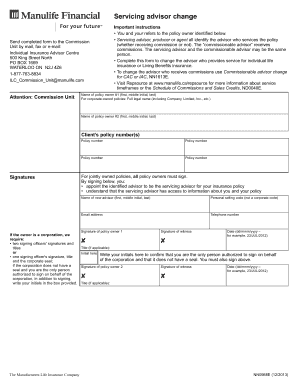
The Nn0988e form is essential for changing your servicing advisor for individual life insurance or Living Benefits insurance. This guide provides clear, step-by-step instructions to help you complete the form accurately and efficiently.
Follow the steps to successfully complete the Nn0988e form.
- Click ‘Get Form’ button to obtain the form and open it in the editor.
- Start by entering the name of policy owner #1, including their first name, middle initial, and last name. If it is a corporate-owned policy, provide the full legal name of the corporation.
- Next, enter the name of policy owner #2 in the same format as policy owner #1.
- Fill in the client’s policy number(s) accurately. Ensure that all numbers are entered correctly to avoid any issues.
- In the signatures section, ensure that all policy owners sign the form. For jointly owned policies, it is mandatory for both owners to provide their signatures.
- Appoint the new servicing advisor by entering their name, personal selling code, email address, and telephone number.
- If the policy is owned by a corporation, provide the required signatures of two signing officers and their titles, or one signing officer’s signature, title, and corporate seal if applicable.
- Complete the date section, using the format dd/mmm/yyyy, as specified.
- If applicable, initial in the box provided to confirm authorization on behalf of the corporation if there is no corporate seal.
- After completing all sections, review the form for accuracy. Once confirmed, you can save changes, download, print, or share the completed form.
Complete the necessary documents online to ensure a smooth servicing advisor change process.
You can get there through manulife.ca. Once you've signed in, choose “Contact us”. And then “Send documents”. Then you upload the document you want to send to us.